For monetisation to work, you need to install WooCommerce.
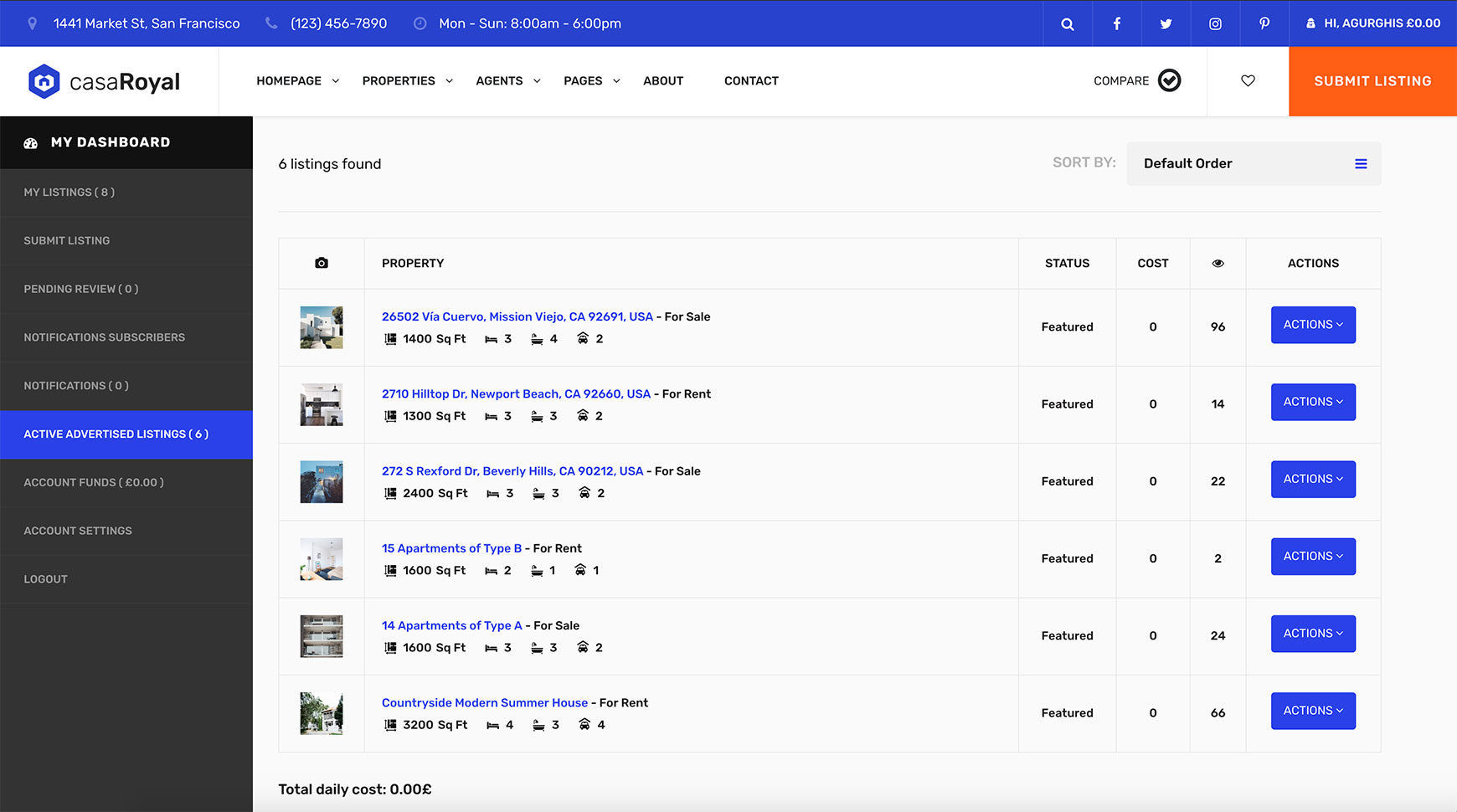
casaRoyal monetisation works with WooCommerce as account funds. The payments for featured listings and promoted listings are recurring and are deducted from the account funds daily. You can charge a one-time fee for submitting listings.
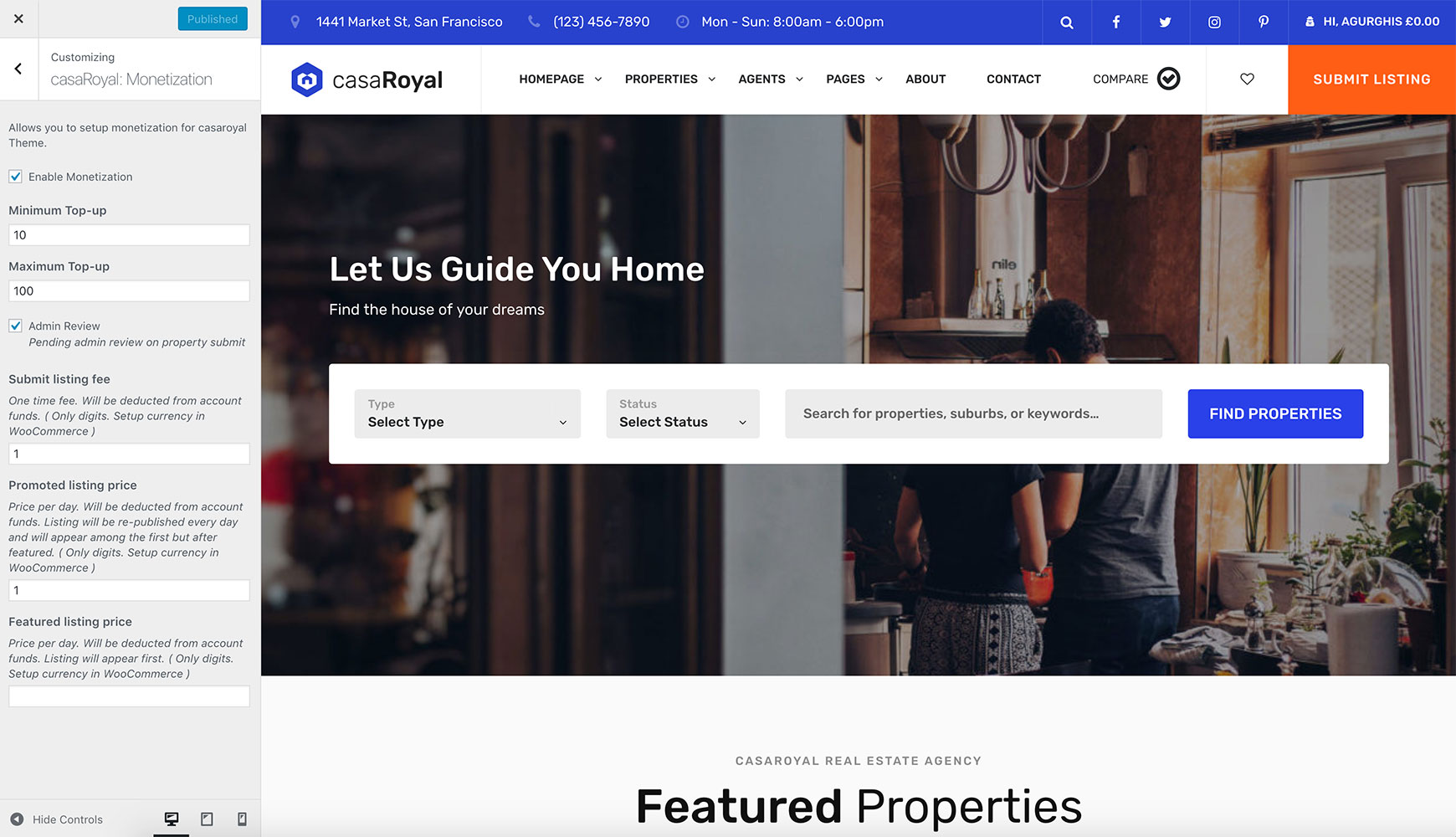
To set the prices, go to Appearance → Customize → casaRoyal: Monetization. Enable monetisation and add the prices (digits only). The currency is set in WooCommerce, as this feature works only with WooCommerce installed.
Here you can also enable the pending admin review option. See Pending review.
Admins are not charged, even if monetisation is enabled.
Account funds
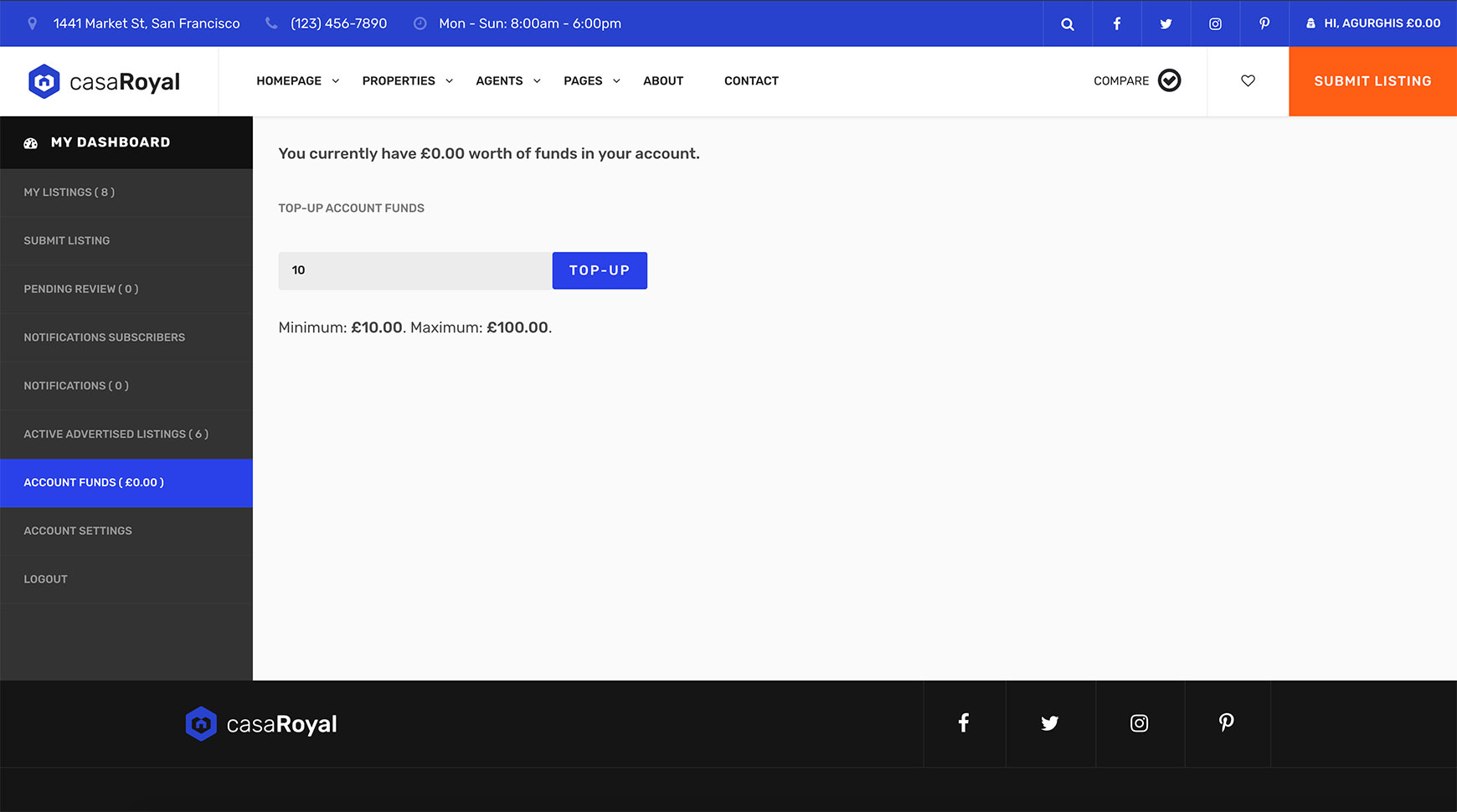
Users can top up their account funds on the Account Funds page, located under the Hi, Username menu button in the main menu. This is a casaRoyal required page. For details, see Required pages.
Active advertised listings
The Active Advertised Listings page shows all your featured and promoted listings and the daily cost. This is a casaRoyal required page. For details, see Required pages.