Before you upload the theme, you must unzip the downloaded folder. The extra files it contains can cause strange issues in the theme’s functionality. Upload only the inner zip folder, and install the theme only through the WordPress admin installer.
Install through the WordPress admin
-
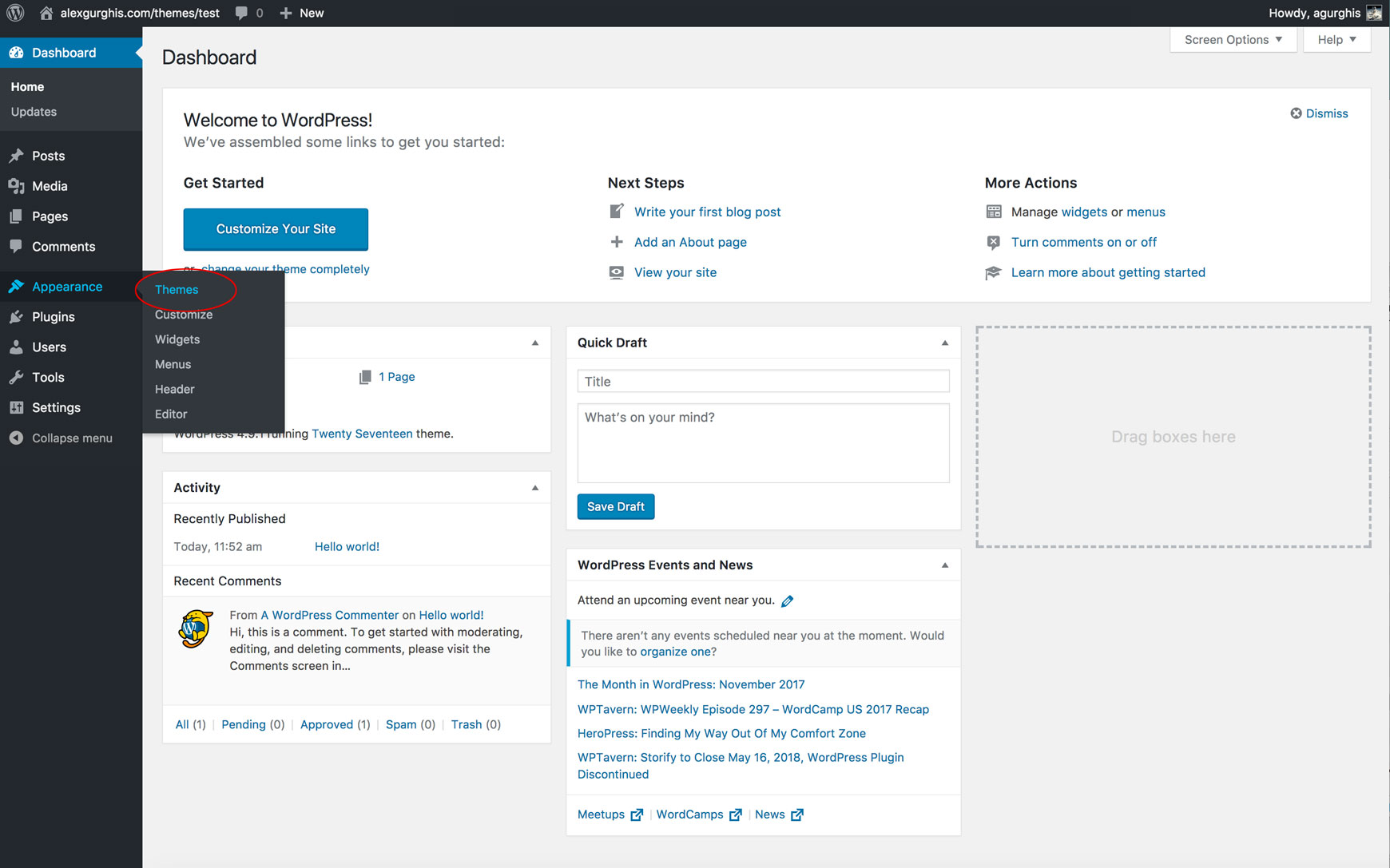
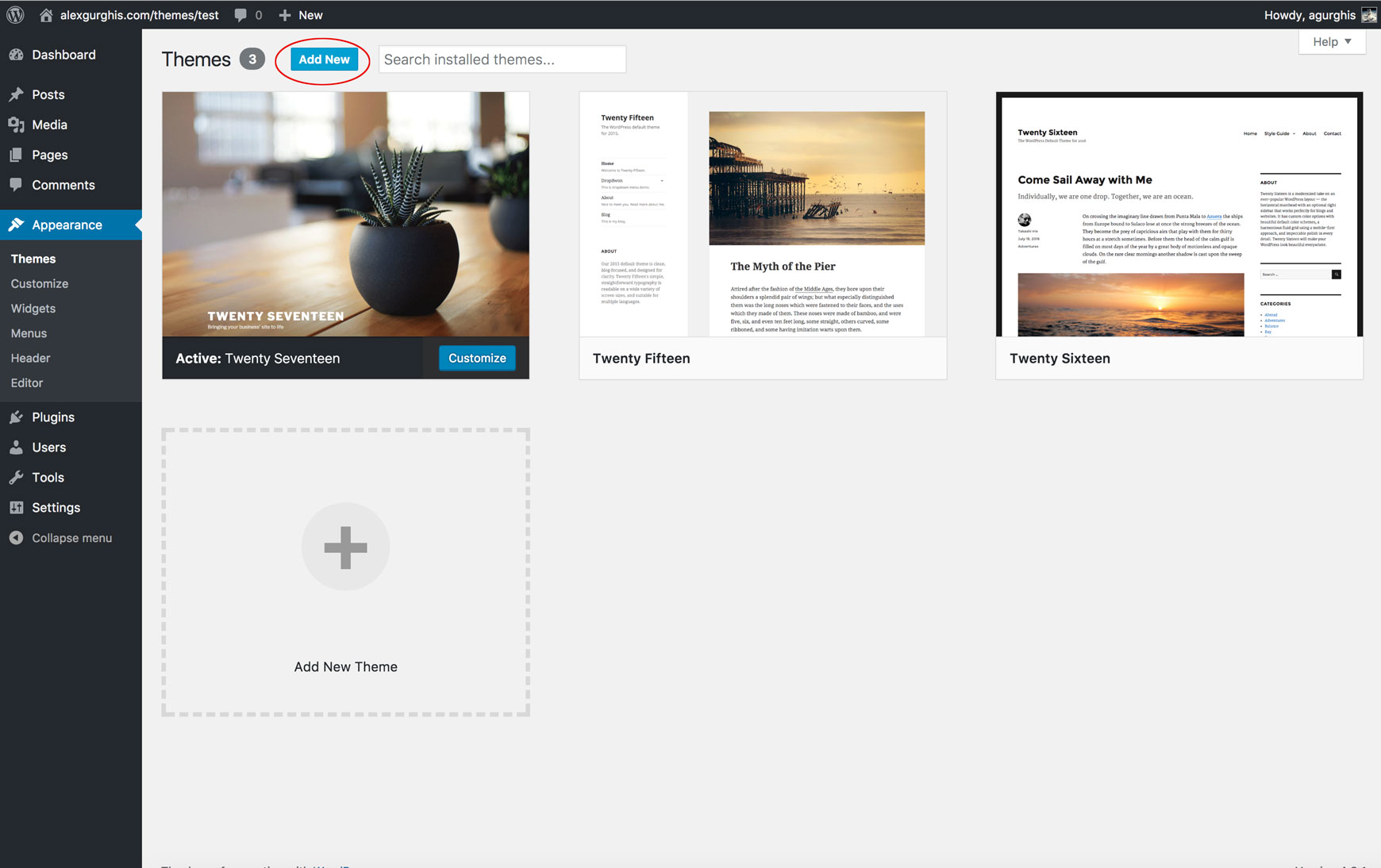
Go to Appearance → Themes → Install and upload the inner zip folder.

-
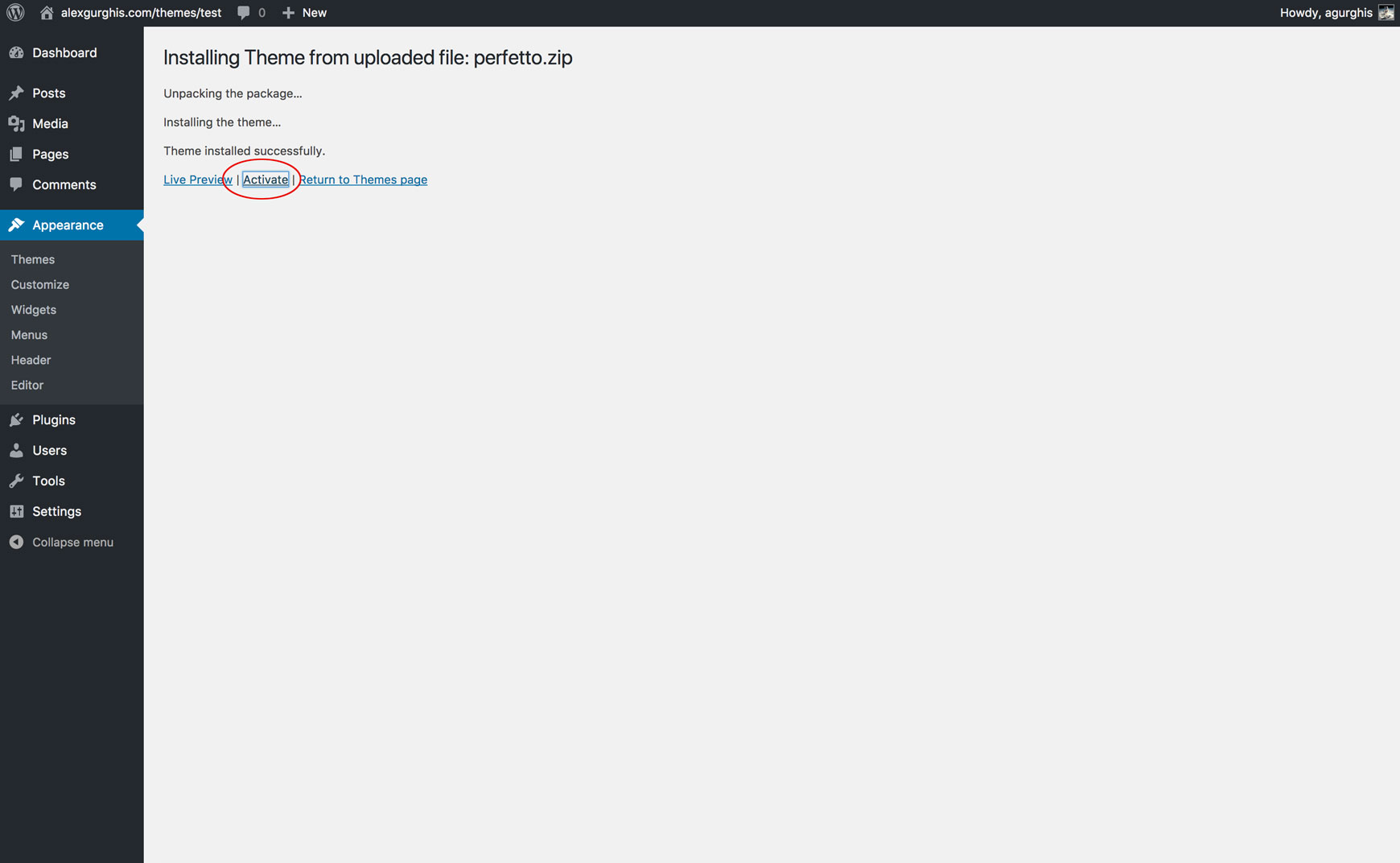
After the theme has been installed, click Activate.
Install by FTP
If this method fails, we recommend using FTP.
- Open your FTP client and go to your WordPress installation path.
- Drag and drop the “theme” folder into
wp-content/themes/. - Go to Dashboard → Appearance → Themes and activate the theme.
Install the recommended plugins
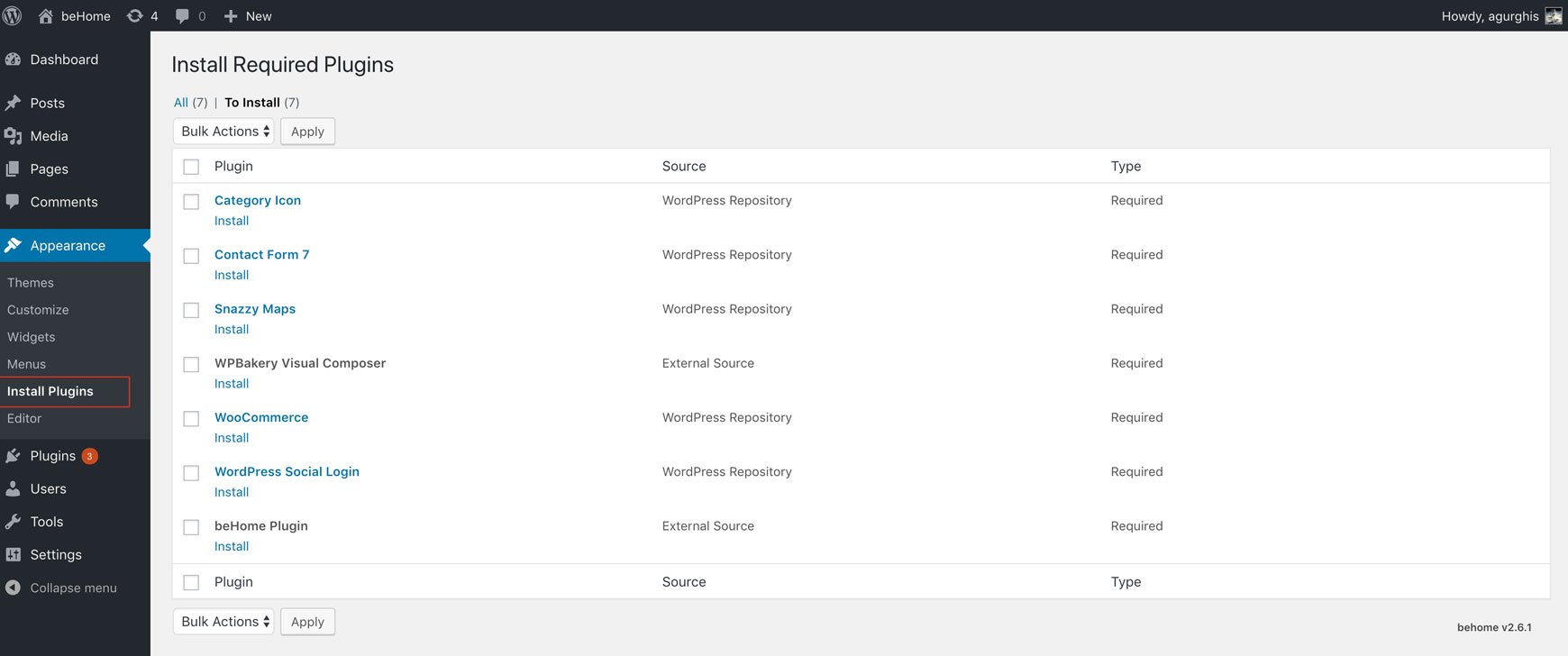
Follow the instructions in the top banner and install and activate the recommended plugins. They are available for free from WordPress.org or are included with the theme.
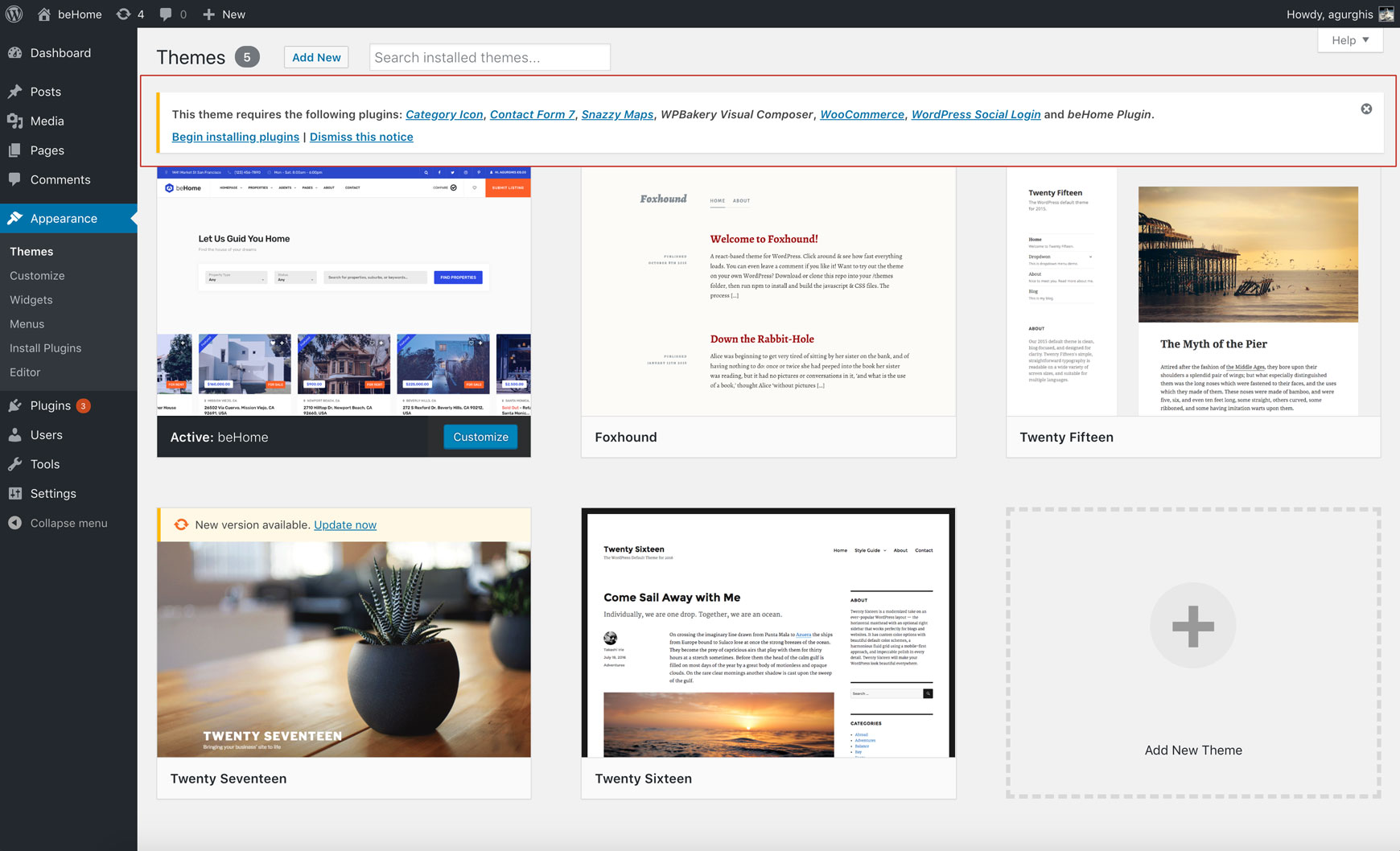
The essential plugins are:
- Category Icon
- Contact Form 7
- casaRoyal Plugin, for the main casaRoyal custom post types
- Snazzy Maps
- WPBakery Visual Composer (included, $34)
- WooCommerce
- WordPress Social Login