FantasyThemes See the themes
Themes / 03 of 05 Events WordPress theme Version 2.0.0  ·  18 Feb 2026

RoyalTickets

From one conference to a whole marketplace of events.

RoyalTickets sells tickets. Use it for a single summit with its own landing page, or open it to organisers and take a share of every sale. At the door, tickets are checked with a QR code.

Version
2.0.0
WordPress
6.0 – 6.9
Demos
16
Gateways
3
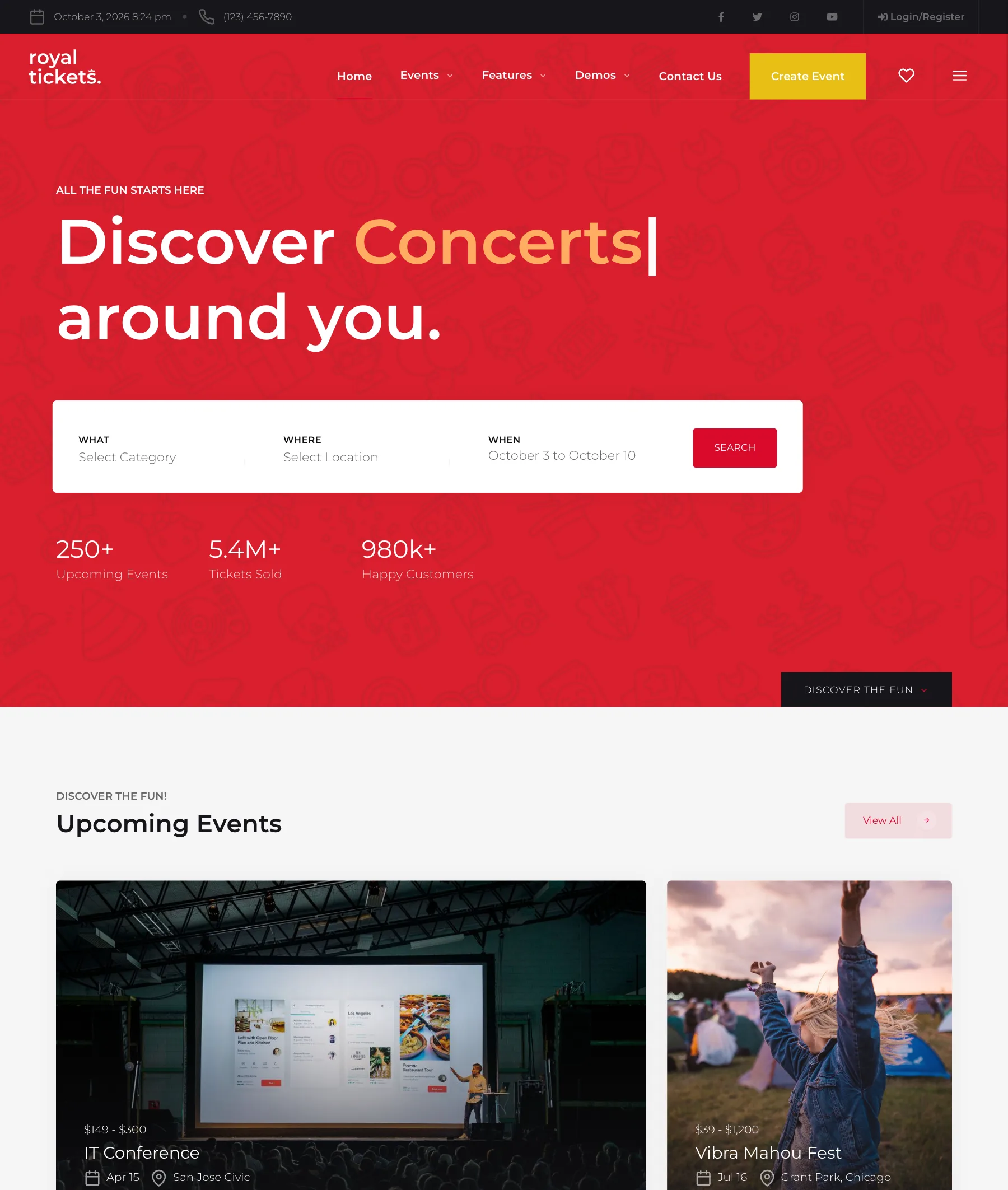
The RoyalTickets marketplace demo: a red home page with a search for what, where and when, and upcoming events below.
Fig. 1 — The marketplace demo, home pageKeep scrolling

A closer look

One event, or all of them.

Sixteen demos cover the two ways people sell tickets: a site for one event, and a site where many organisers list theirs.

RoyalTickets: marketplace.

01 — Many organisers

Marketplace

Visitors search by what, where and when. Organisers list their events and sell through your site.

Open the demo
RoyalTickets: conference.

02 — One event

Conference

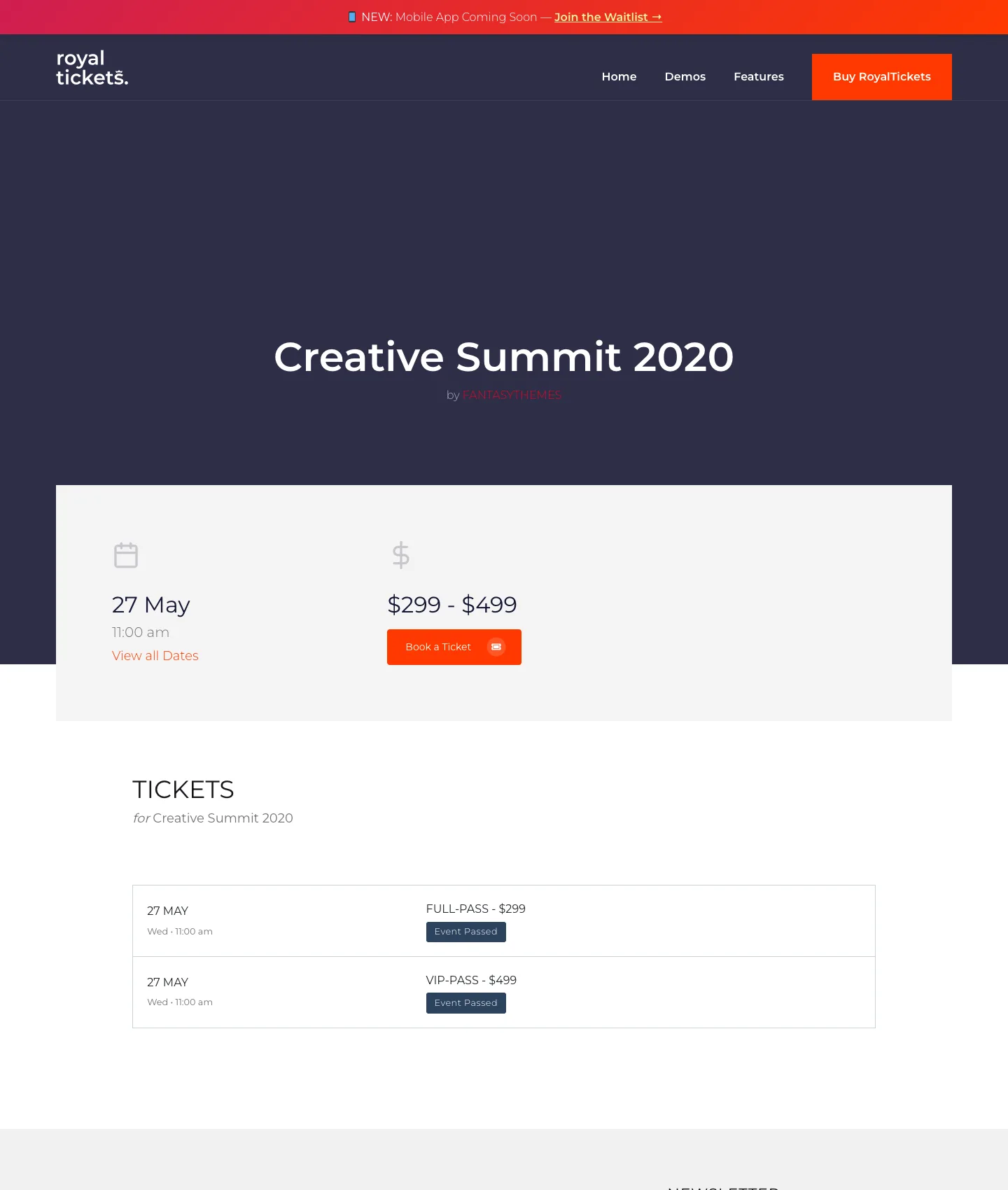
A landing page for a single summit: date, ticket types and prices, speakers and schedule.

Open the demo

RoyalTickets: single page.

03 — A course or workshop

Single page

Seven ready-made single-event templates, for seminars, courses, meetups and webinars.

Open the demo

Contents

What is in the box.

Everything between “an event exists” and “this person is in the room”.

Events A

  • Marketplace or single eventOne theme for both; choose when you set it up.
  • Start and end, properlyA from–to date and time picker, same-day and multi-day events, time zones handled.
  • Categories, cities, venuesThree ways to browse, each with its own archive page.
  • 8 archive layoutsAnd seven single-event templates.

Tickets B

  • Ticket types and pricesSeveral per event, each with its own price.
  • PayPal, Stripe, PayFastThree gateways built in.
  • Sell as a marketplaceOrganisers sell their own tickets; you keep your share.
  • My favouritesVisitors keep a list of events they are considering.

At the door C

  • QR-code validationEach ticket carries a code; scan it to check the attendee in.
  • Attendee check-inA list of who has arrived and who has not.
  • Event registrarsGive door staff an account that can only check tickets.

Pages D

  • 25+ shortcodesEvent grids, countdowns, speakers, schedules, pricing.
  • One-click demo importAny of the sixteen demos, in one step.
  • REST APIEndpoints for a mobile app, added in version 2.0.

Up close

The ticket is on the phone.

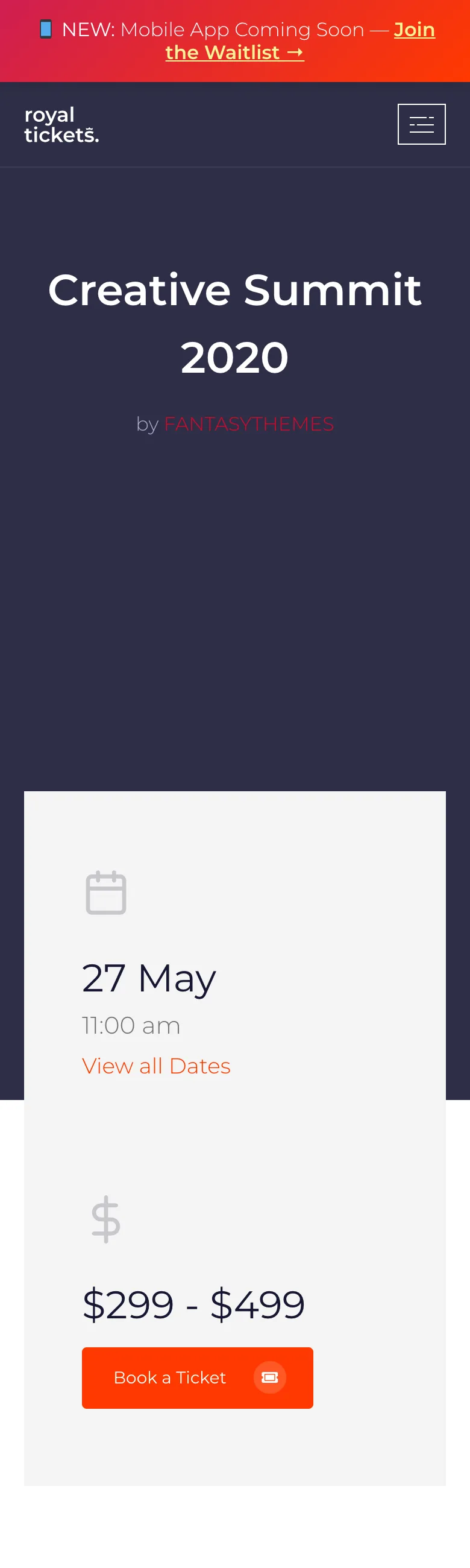
Finding the event, paying for it and showing the code at the door all happen on a small screen.

A single-event page, with the date, ticket types and prices.
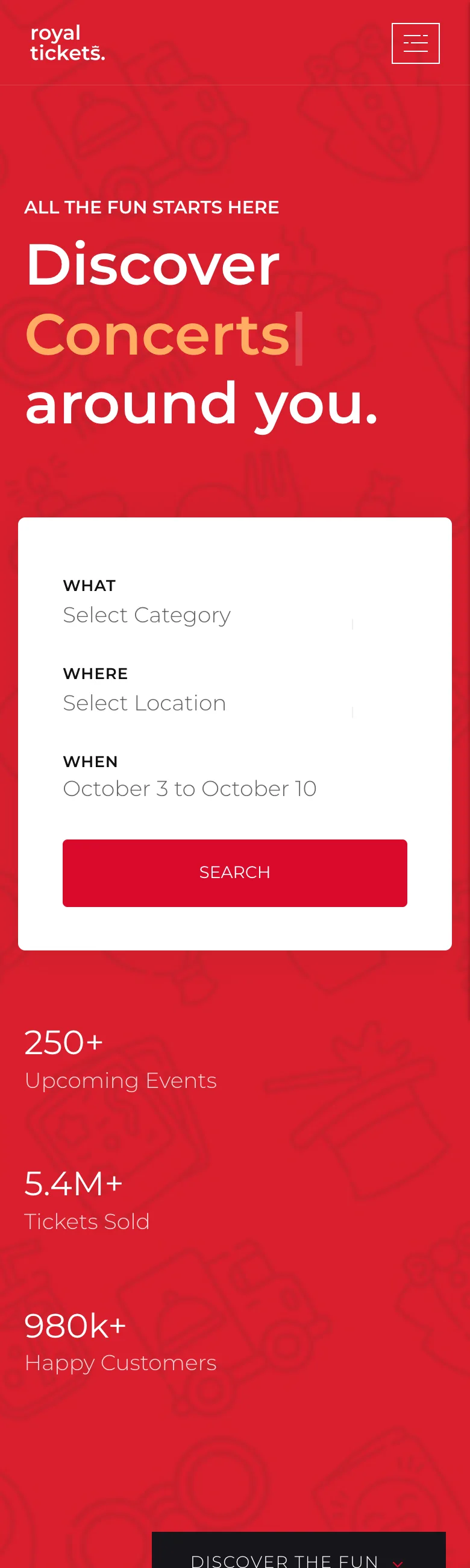
A single-event page, with the date, ticket types and prices.
RoyalTickets on a phone.
RoyalTickets on a phone, an inner page.

Version 2.0 added REST API endpoints, in preparation for a mobile app.

Specification

The fine print.

Version
2.0.0
Last update
18 February 2026
First release
20 April 2020
WordPress
6.0 to 6.9
Payments
PayPal, Stripe, PayFast
Demos
16, with one-click import
Layout
Responsive
Support
Six months included, from the author

Changelog

What changed, and when.

2.0.0

  • REST API endpoints for mobile app integration
  • Escaping and security improved across all template files
  • Admin bar and dashboard redirects moved into the plugin

1.1.6

  • A from–to date and time picker for events
  • Better handling of same-day and multi-day events
  • Live validation and preview of event dates
  • Time zones handled correctly when showing event times

1.1.5

  • Bug fixes and updated bundled plugins

The full changelog

Questions

Before you buy.

Something else? Ask before you buy; the author answers.

Can I use it for just one event?

Yes. Several demos are built for a single conference, course or meetup, with one landing page and a checkout.

How are tickets checked at the door?

Each ticket has a QR code. Staff with a registrar account scan it and the attendee is marked as checked in.

Which payment gateways are included?

PayPal, Stripe and PayFast.

Can organisers sell on my site?

Yes. In marketplace mode organisers create events and sell tickets through your site, and the monetisation options decide what you earn.

What do I get when I buy?

The theme, its demos, every future update, and six months of support from the author. Support can be extended at checkout or later.

One licence, one site, every update

RoyalTickets, complete.

You buy it on ThemeForest. The documentation and the support are here.

$59

Buy on ThemeForest

Regular licence. Six months of support included.