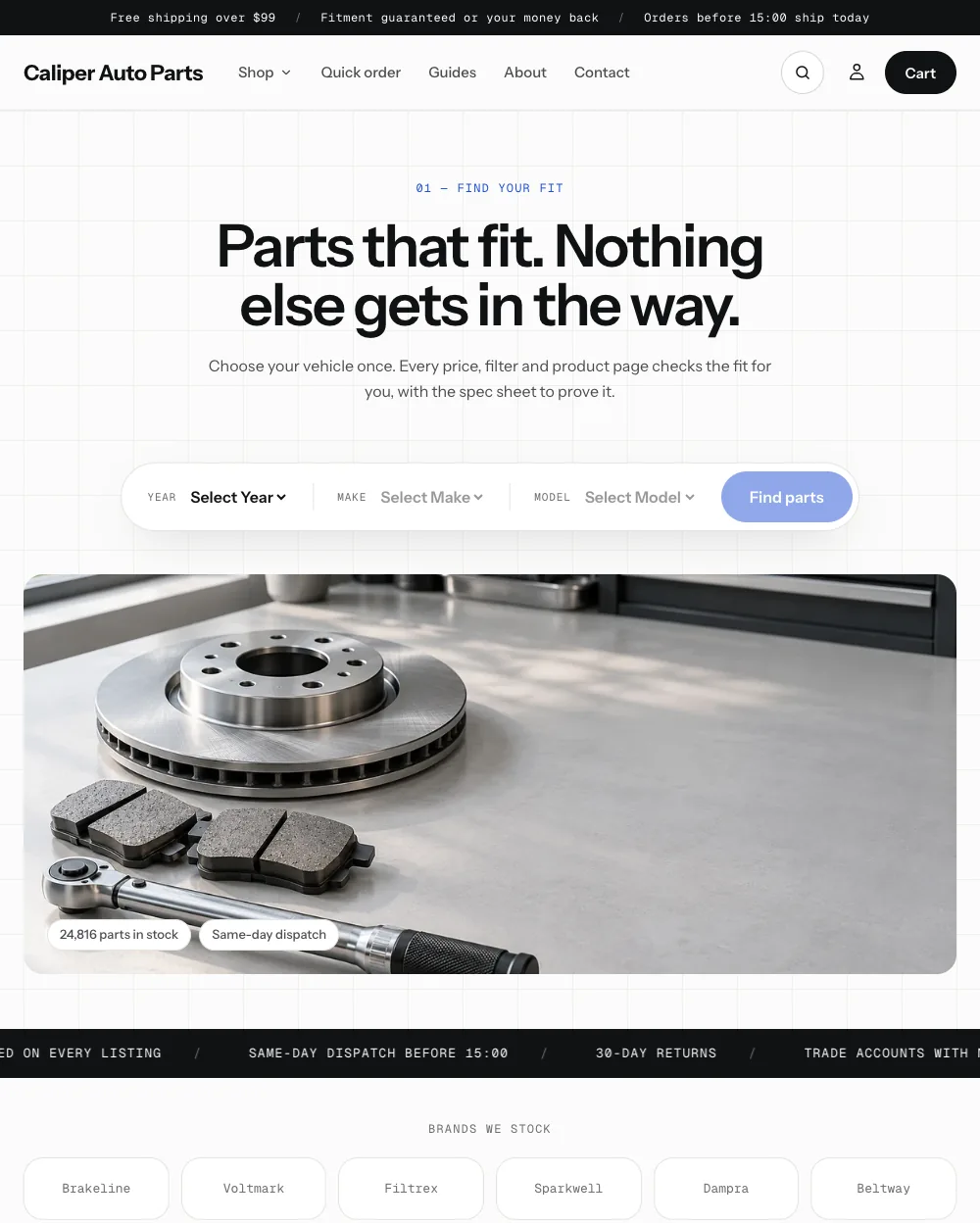
01 — Auto parts
Ratchet
Year, make and model finder, Fits badges, the fitment list and cross-reference numbers on the product page, and My garage for the last five vehicles.
Demo store: opens with the Theme Store listing.
Parts that fit.
Ratchet is a Shopify theme for stores where the question is never “do I like it” but “does it fit”: a vehicle finder that works from your own data, a Fits badge on every card, spec tables and part numbers from product metafields, and quick ordering for trade customers. All native Shopify, no app required.
Three presets
Choose the preset closest to your store when you add the theme. Switching later changes only the look; your products, content and menus stay.
01 — Auto parts
Year, make and model finder, Fits badges, the fitment list and cross-reference numbers on the product page, and My garage for the last five vehicles.
Demo store: opens with the Theme Store listing.
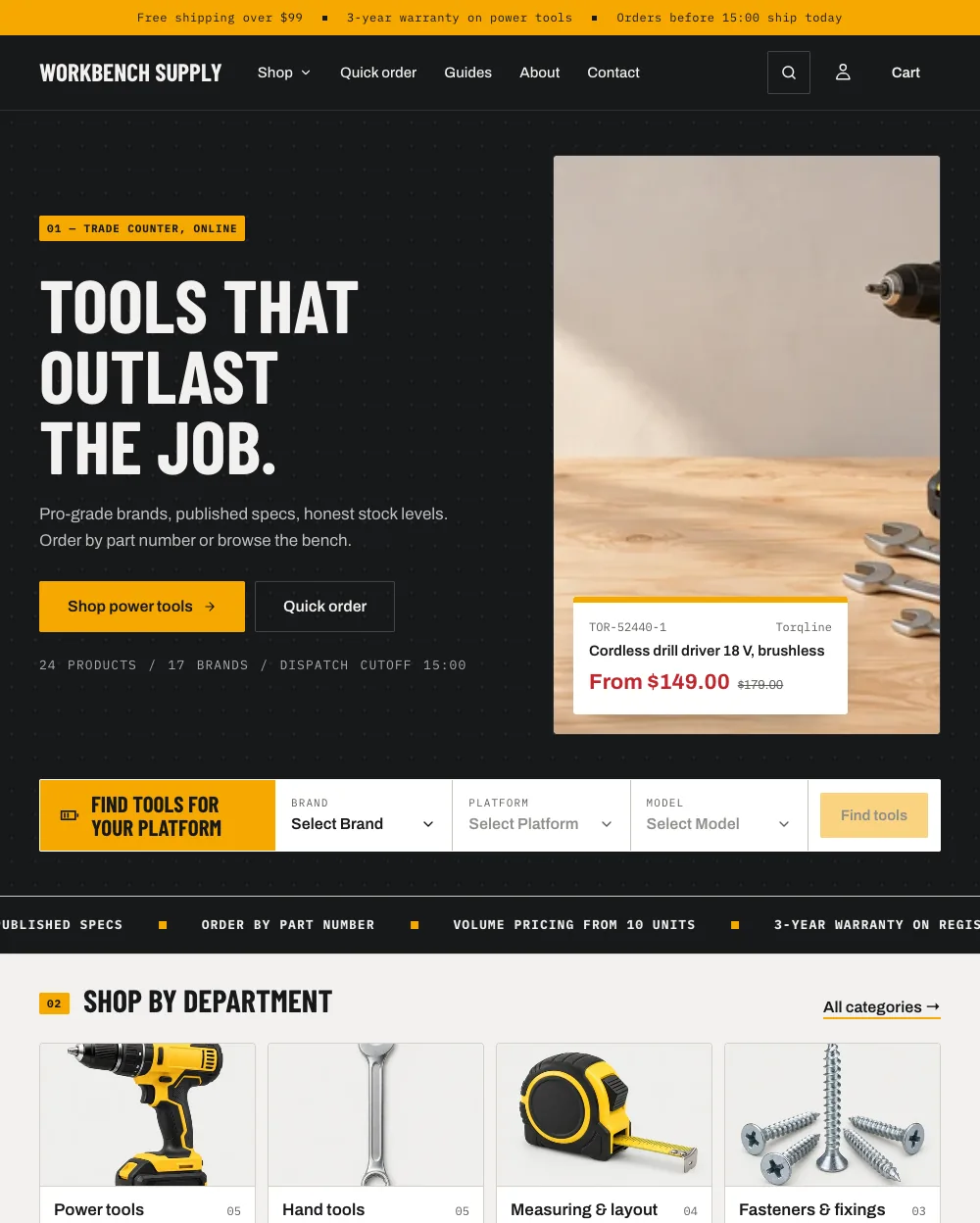
02 — Tools and hardware
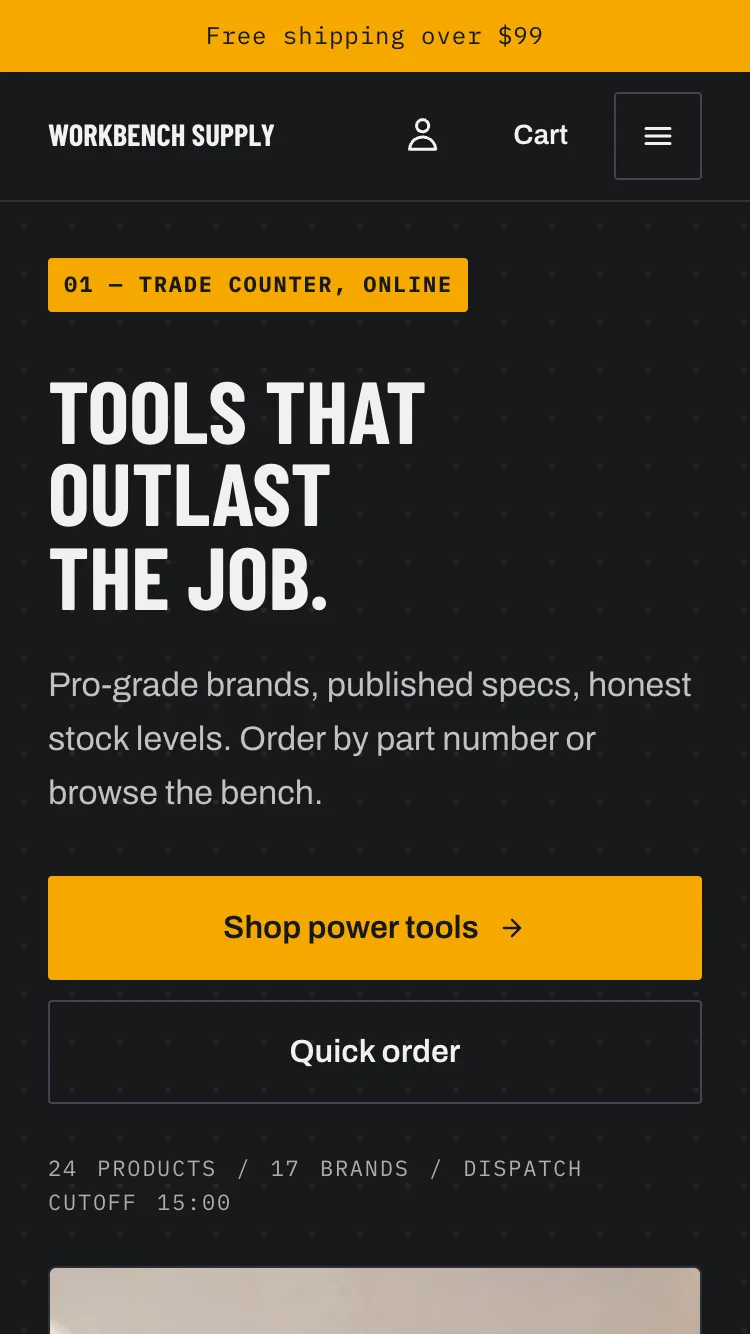
An industrial trade-counter look: condensed uppercase headings, safety amber, a dark header and footer, outlined cards and a dots texture. The finder works by brand, battery platform and model, and the home page opens with a quick order panel.
Demo store: opens with the Theme Store listing.

03 — Home and garden
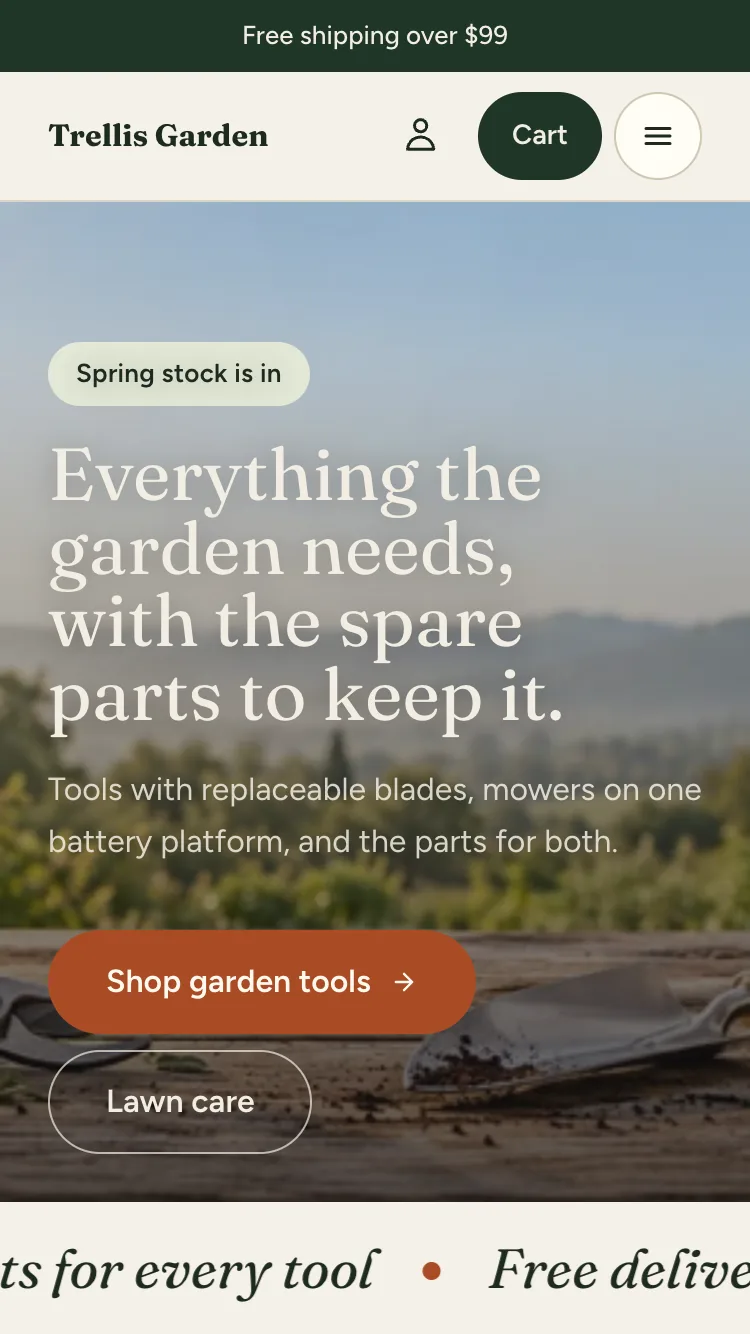
An editorial garden-journal look: serif headings, an oat and sage palette, terracotta buttons and filled cards. A spare-parts finder by brand, series and model, a shoppable lookbook, and spare parts on every product page.
Demo store: opens with the Theme Store listing.
Key highlights
Three highlights per preset, captured from the demo stores.
Ratchet preset
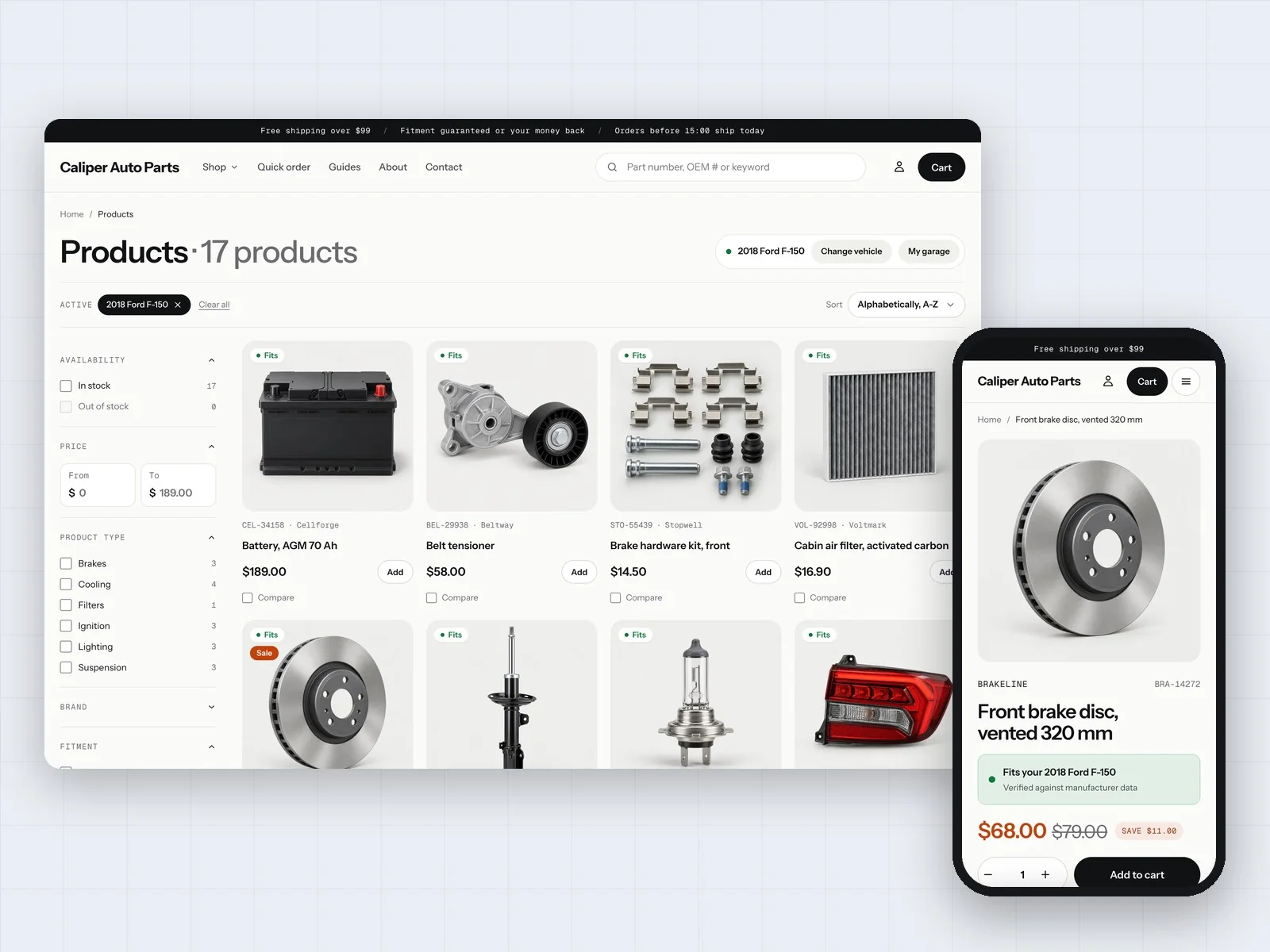
Year, make and model in one bar. Results filter to parts that fit, and every product page confirms the fit for the saved vehicle.
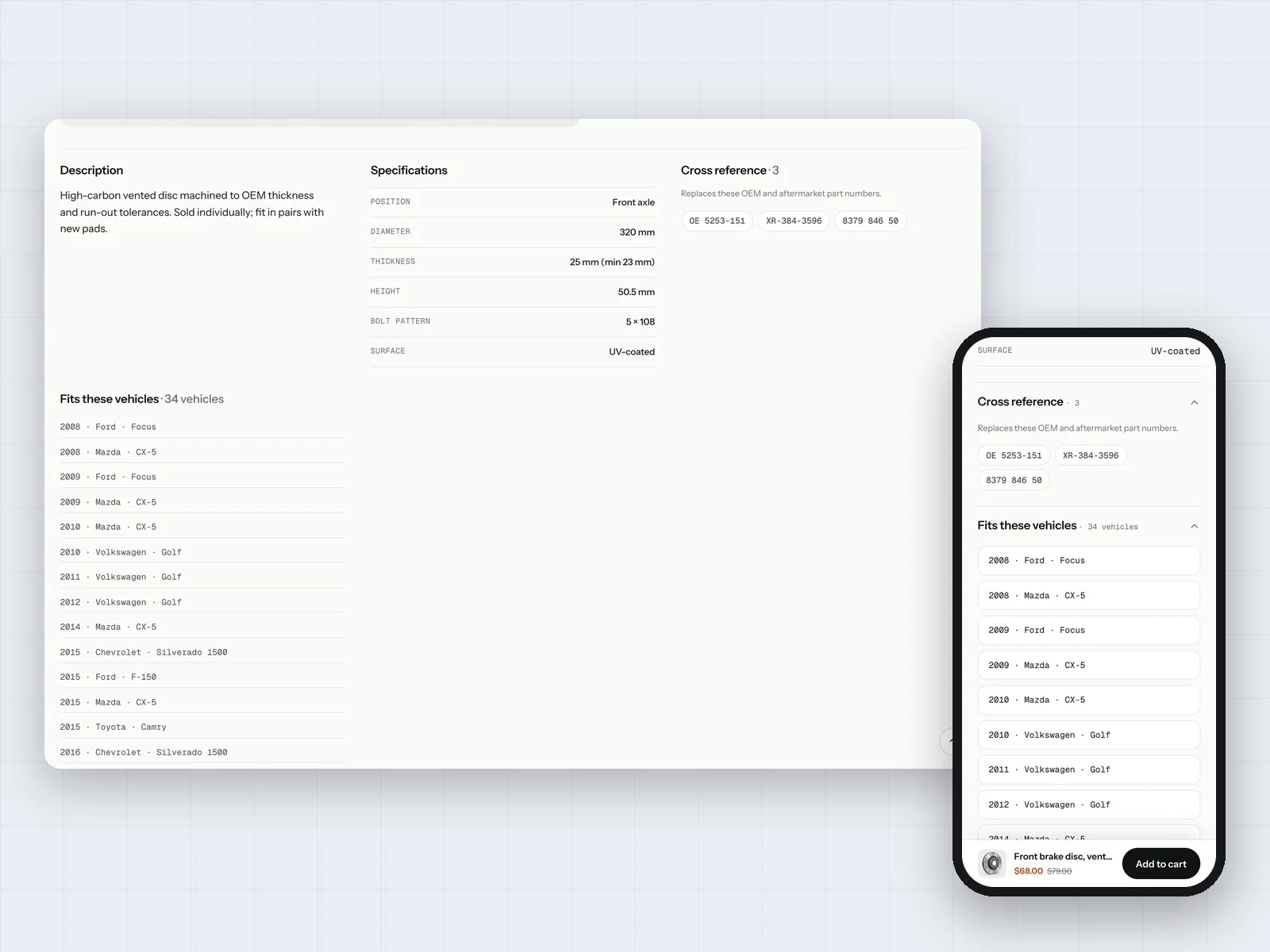
Spec tables, OEM and aftermarket numbers and the full vehicle list come from metafields, so every part page answers the hard questions.
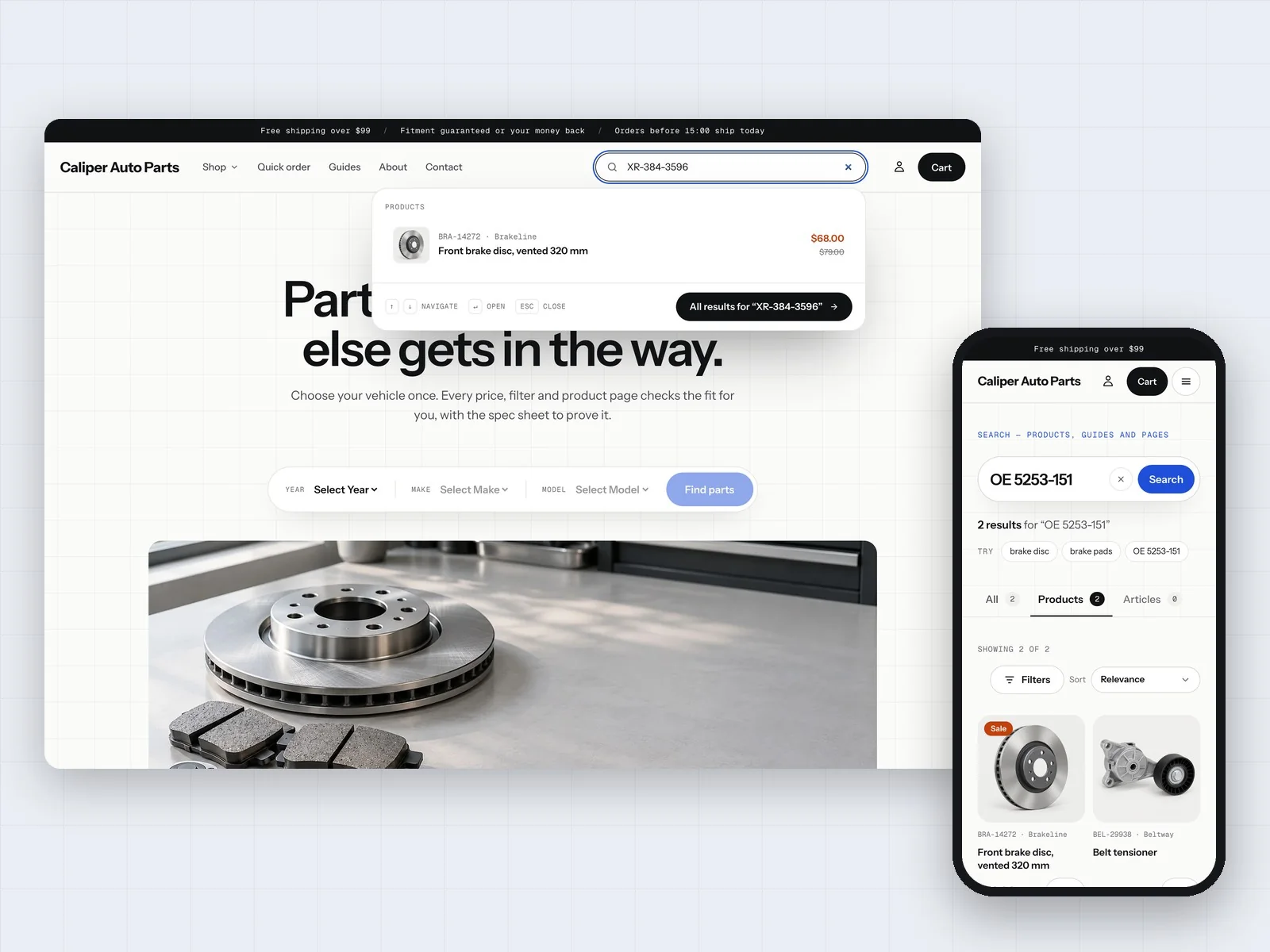
Shoppers type an SKU or OEM number and land on the right part. Predictive results show the photo, SKU and price as they type.
Workbench preset
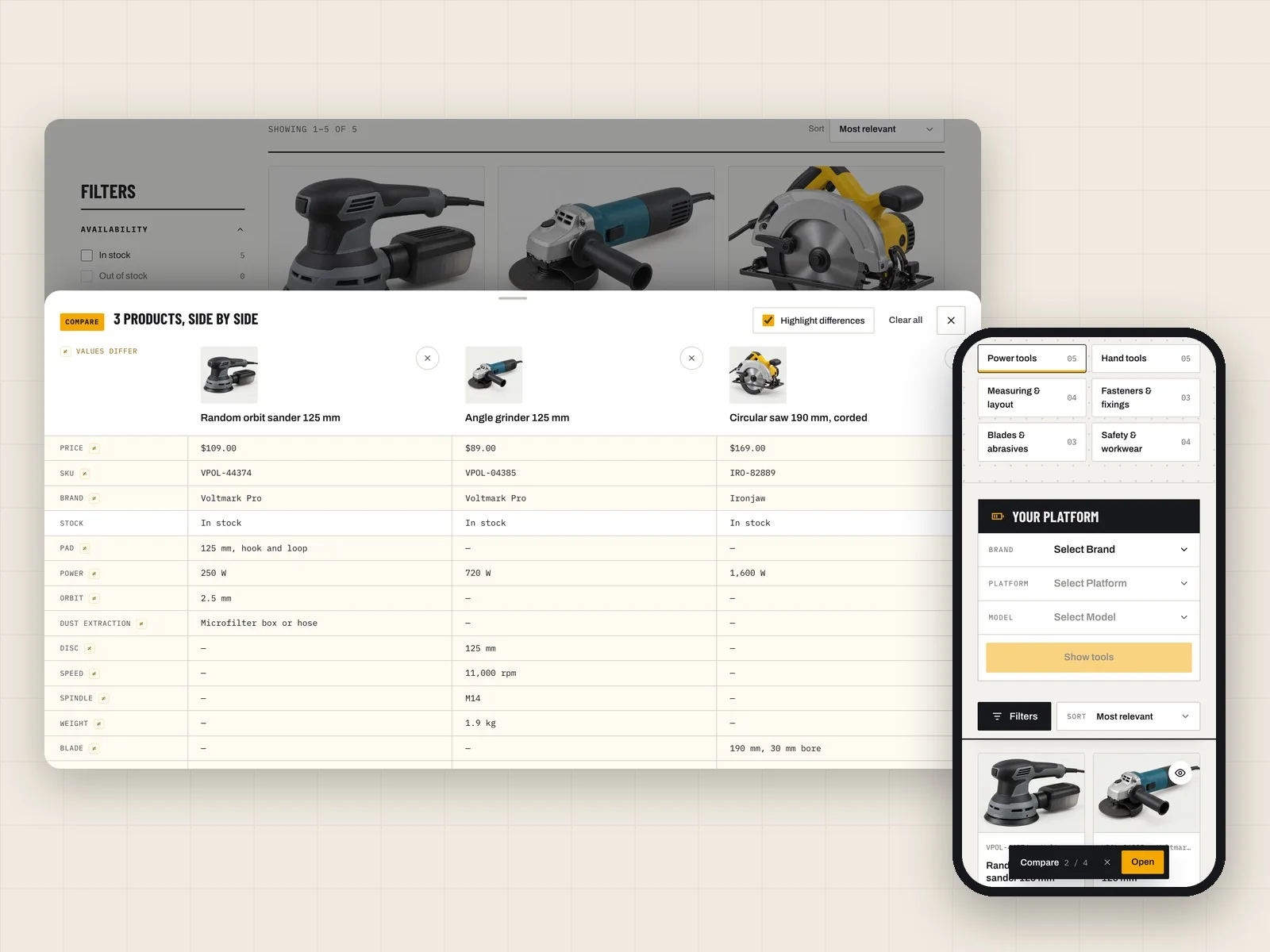
Shoppers tick Compare on any card and see specs side by side: power, size, stock and price, in a drawer that never leaves the page.
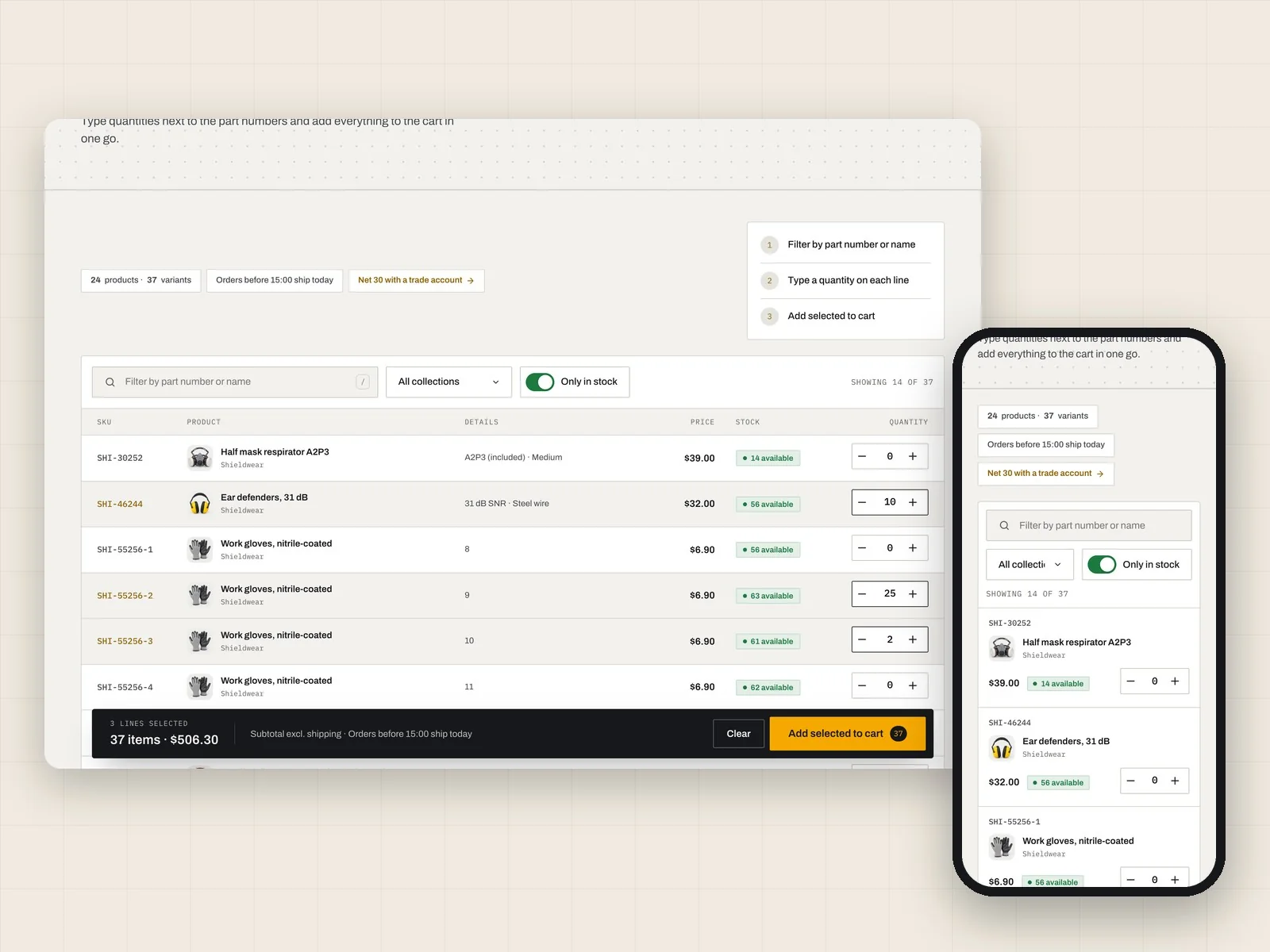
A full order sheet with SKU, stock and quantity steppers. Filter by part number and add a whole job list to the cart in one go.
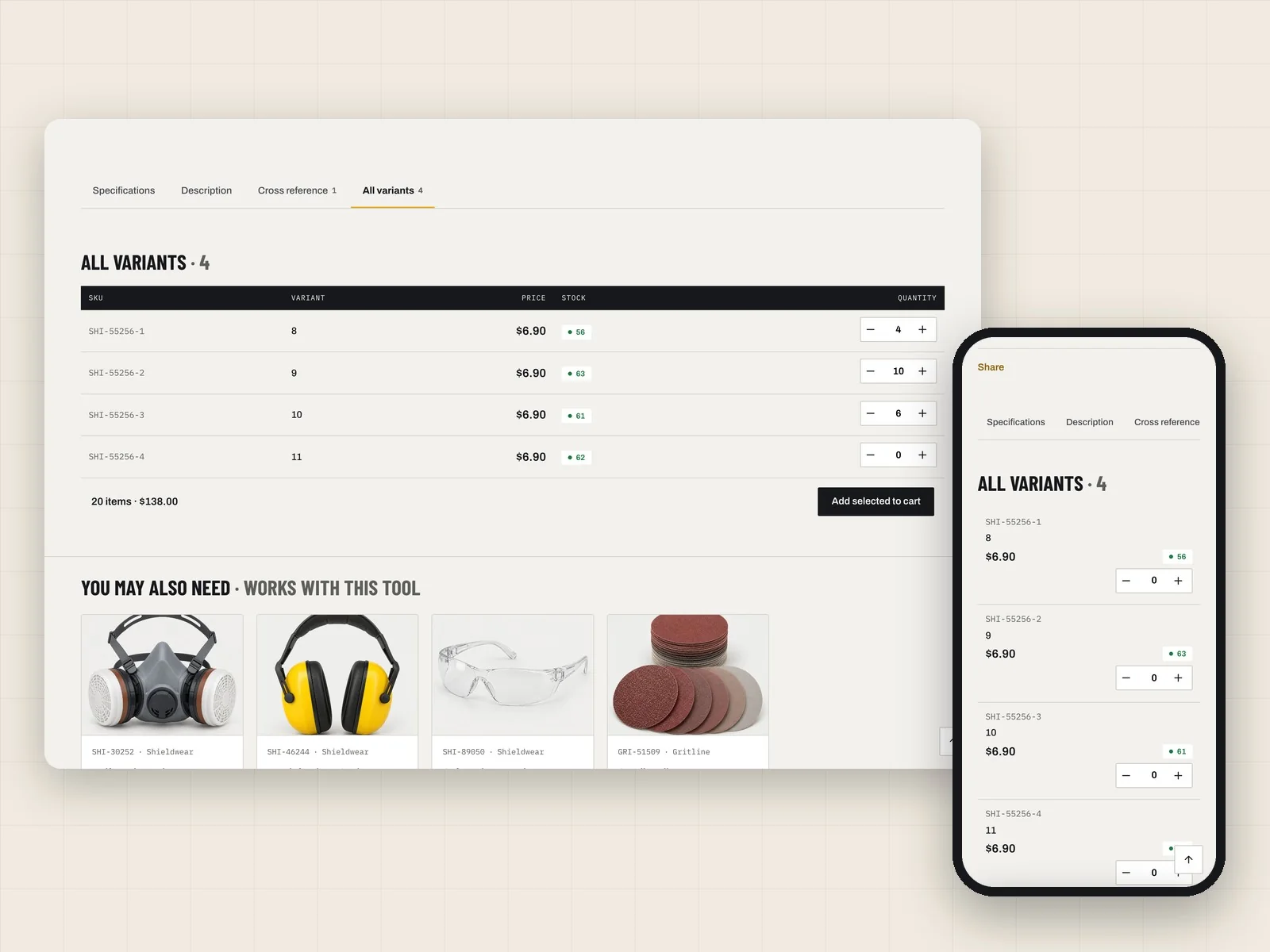
Variant table on the product page: every size or length with its SKU, price and stock, all added to the cart with one button.
Trellis preset
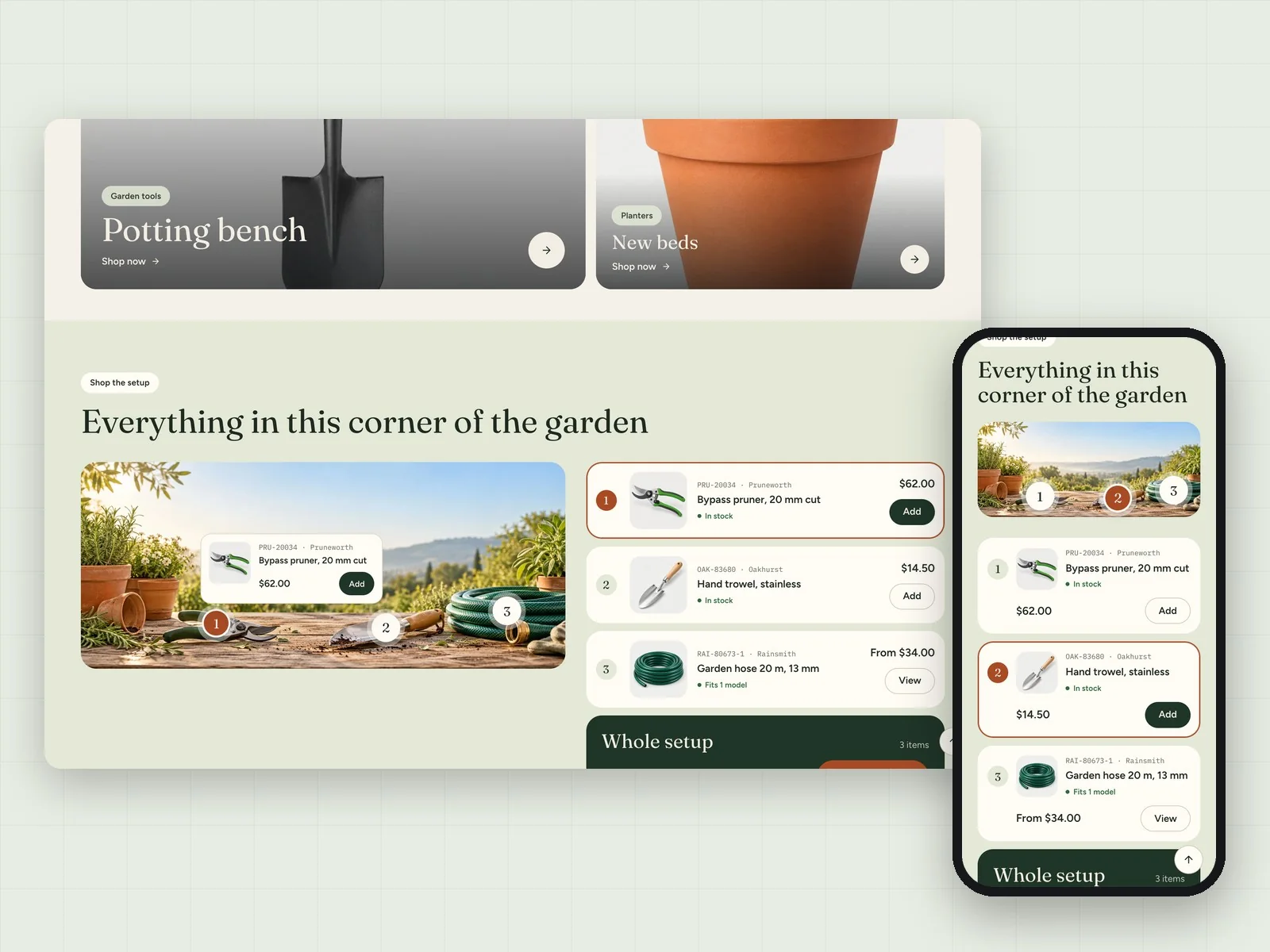
Numbered hotspots on a lifestyle photo, with a matching product list beside it. Customers shop the whole scene without leaving the page.
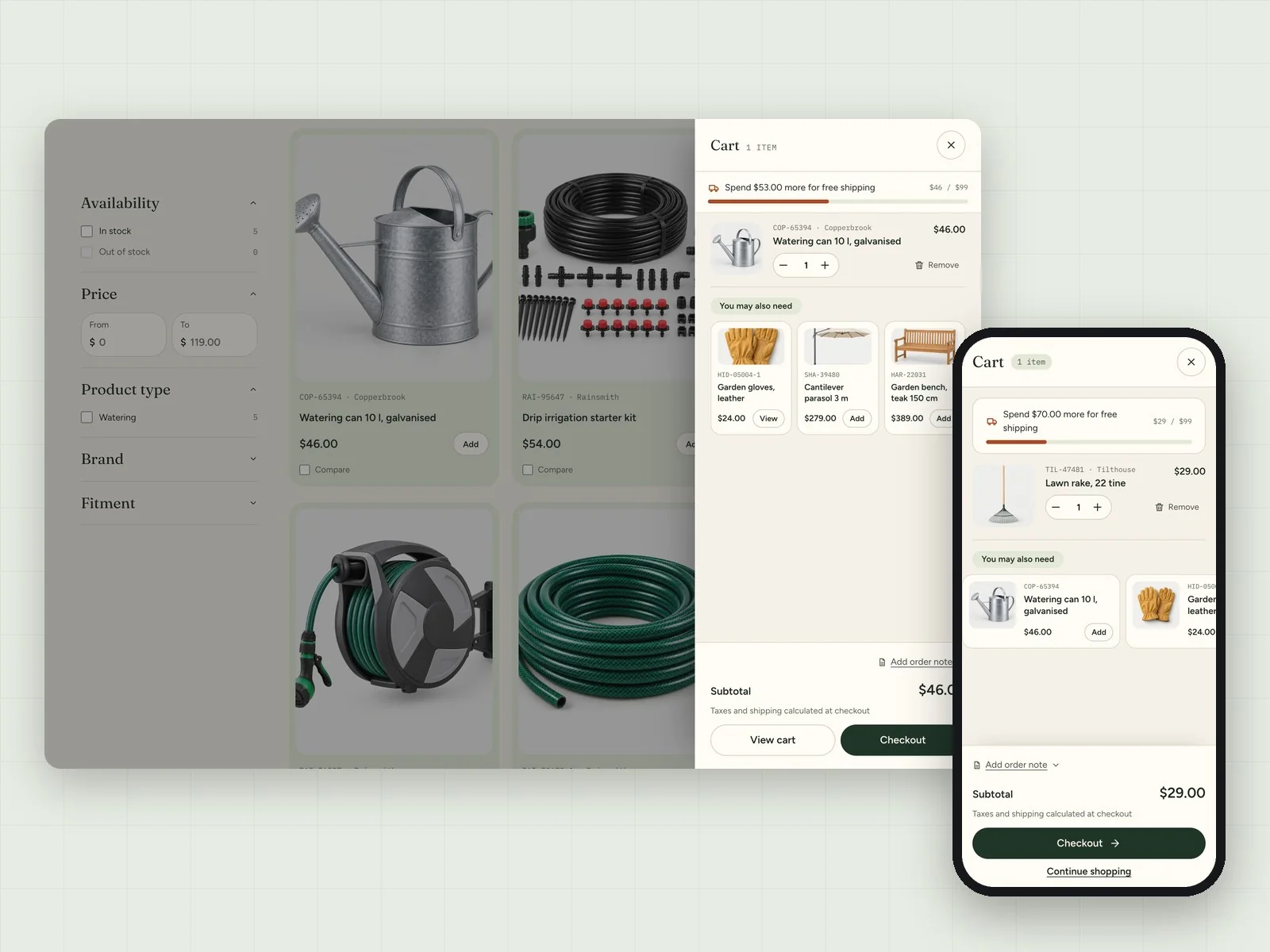
Free shipping progress, quantity edits and recommended add-ons in a slide-out cart, so the order grows before checkout.
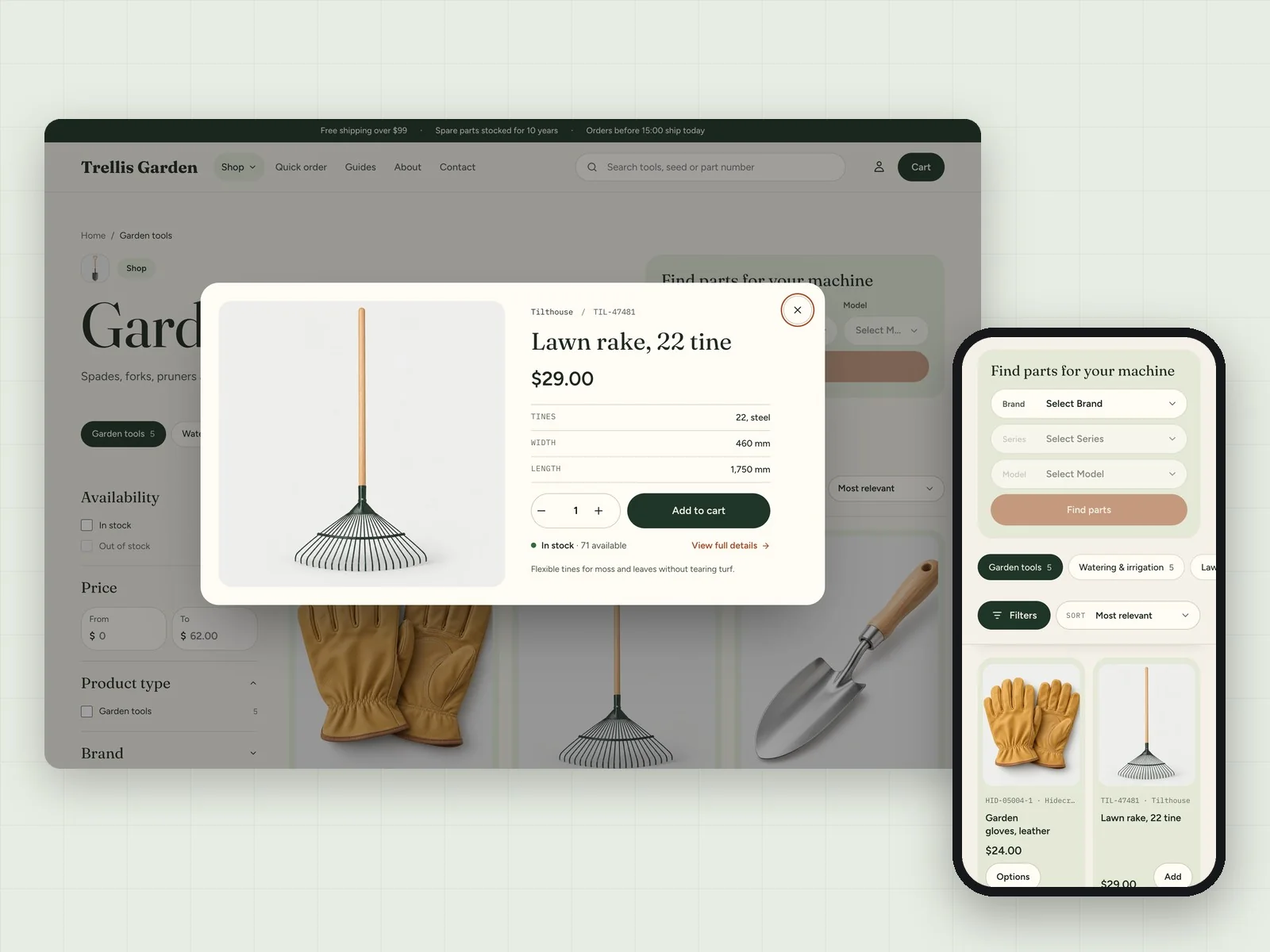
Open any product from the collection grid: photos, price, options and Add to cart in a modal, then keep browsing.
What sets it apart
The features a parts catalog needs, built into the theme and fed by standard Shopify data. No app to install.
01 — Vehicle finder
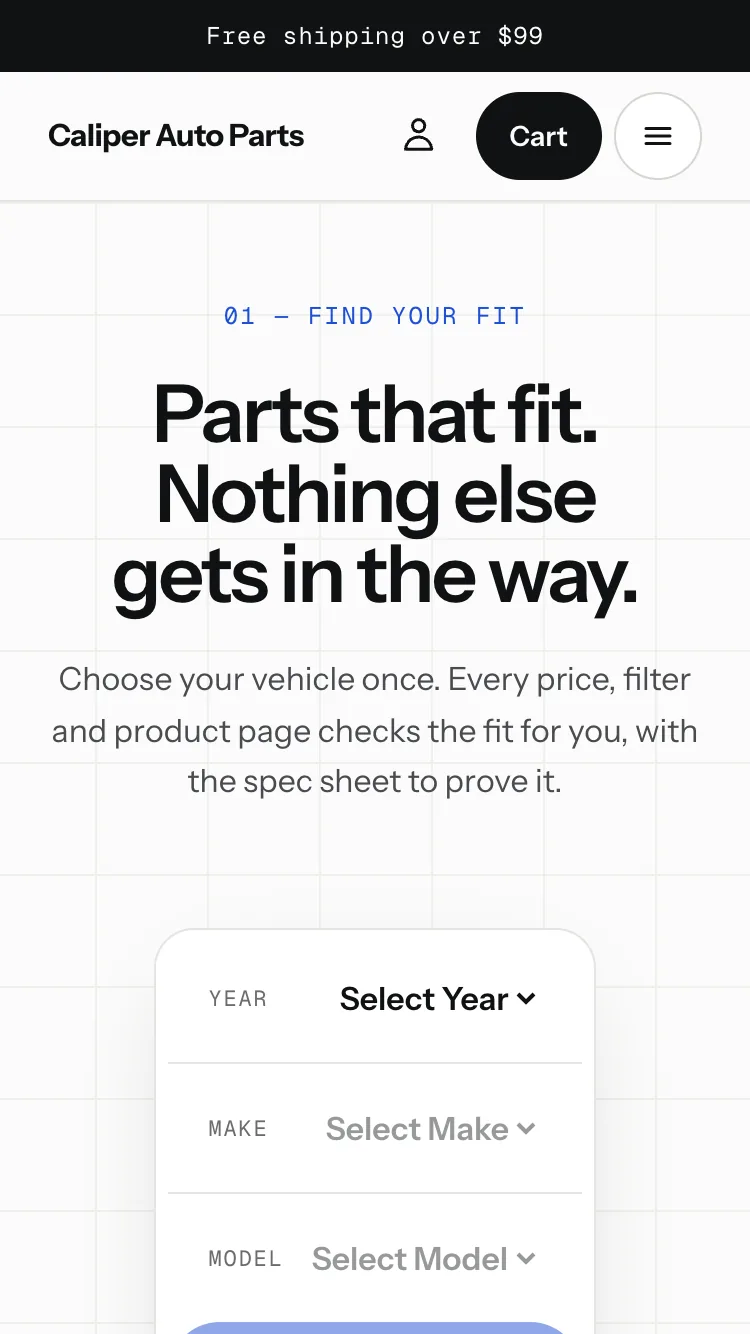
Year, make and model in one bar. From then on every card, product page, compare table and cart line shows Fits or No fit, and collections filter to that vehicle.
02 — Product data
Specification tables in a monospaced face, cross-reference part numbers as chips that search the store, and PDF documents, all from product metafields.
03 — Trade and B2B
A quick order list with SKU, price and stock for a whole collection, variant order tables, and the price breaks and quantity rules of Shopify B2B catalogs.
04 — Compare
Price, SKU, brand, stock, fit for the saved vehicle and every row of the spec sheet, in one table.
05 — Exploded diagram
An image with numbered parts and a legend underneath, each line with its SKU, price and an Add button.
06 — Not only cars
The finder’s levels are labels. Brand, platform and model for power tool batteries; brand, series and model for mowers and trimmers.
On a phone
The finder folds into three stacked fields, the cart slides in from the side, and add to cart stays in reach while the customer reads the spec sheet.
Everything else
The features of a complete Shopify theme, in all three presets.
Specification
Changelog
Questions
Setting it up is covered in the documentation. Still stuck? Open a ticket; the author replies within one business day.
Only on the Shopify Theme Store, once it is listed there. You can try it on your own store before you buy, and updates arrive in Online Store → Themes.
No. The fitment is a product metafield and the filter comes from Shopify’s Search & Discovery. The theme does the rest.
Up to 100 straight from the filter values. For more, upload a CSV file with the vehicle list; 1,200 vehicles are about 4 KB.
Yes. It shows the prices, quantity rules and price breaks of your B2B catalogs; the pricing itself stays in Shopify.
Launch day
Get the latest updates delivered to your inbox.
One email the day Ratchet is listed, and nothing else. You confirm your address first and can unsubscribe with one click.