The autoRoyal settings are in the WordPress back end under Cars → autoRoyal Settings. They are split into four tabs: Main Settings, Contact Form, Pages and Monetisation.
Main settings
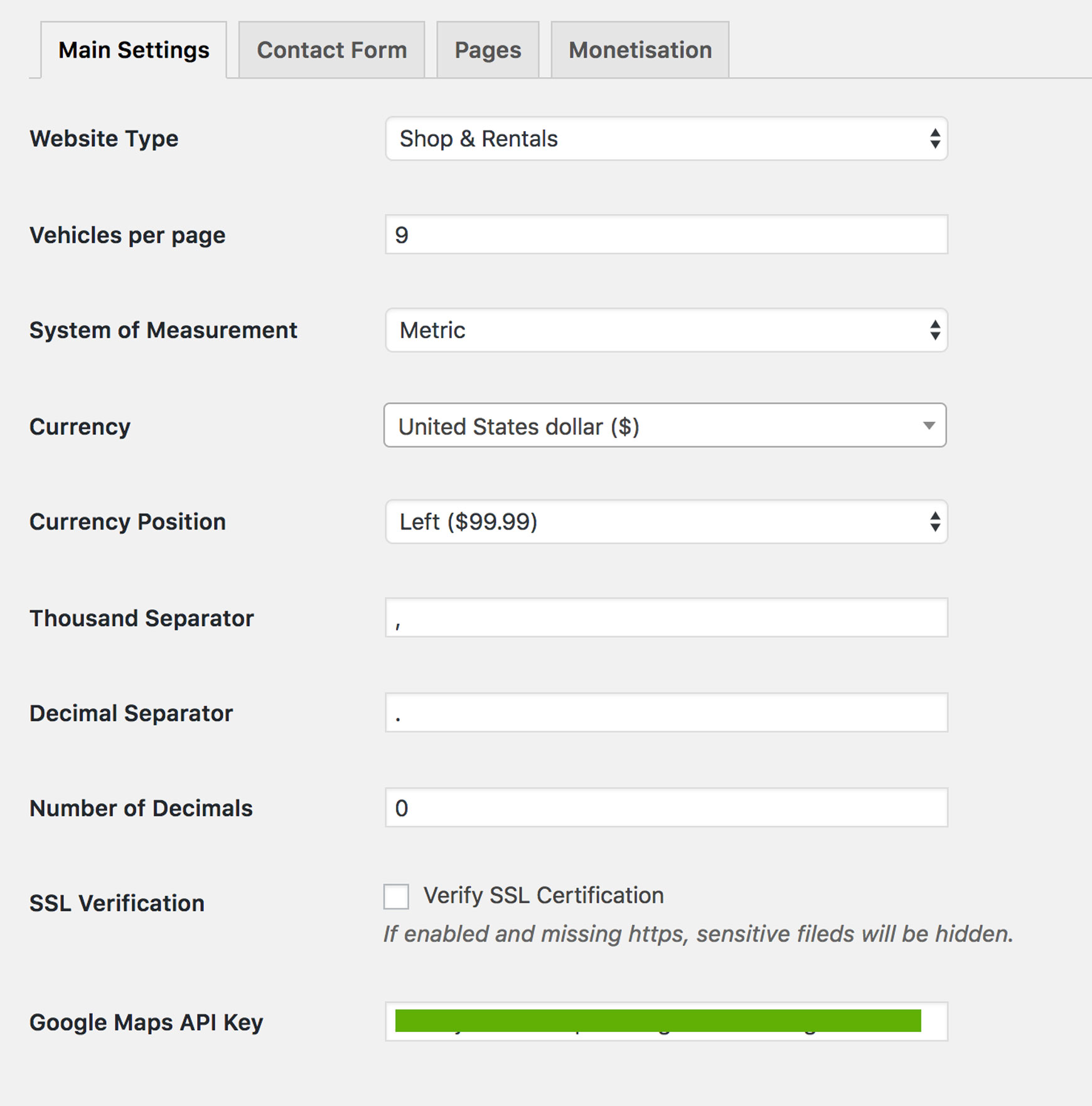
| Setting | Description |
|---|---|
| Website Type | Select your website type: a vehicle shop (car dealer), an automotive marketplace or a rent-a-car website. |
| System of Measurement | Metric or U.S. It is used for vehicle mileage, engine volume and so on. |
| Currency | The currency for vehicle prices. |
| Currency Position | The options are Left, Right, Left with space and Right with space. |
| Thousand Separator | . by default. |
| Decimal Separator | , by default. |
| Number of Decimals | 0 by default. |
| SSL Verification | If this is enabled and “https” is missing, sensitive fields are hidden. These are fields from leads and deals, such as the social security number. |
| Google Maps API Key | You need a Google Maps API key for maps to work properly. Get one from the Google Maps documentation. |
Contact form
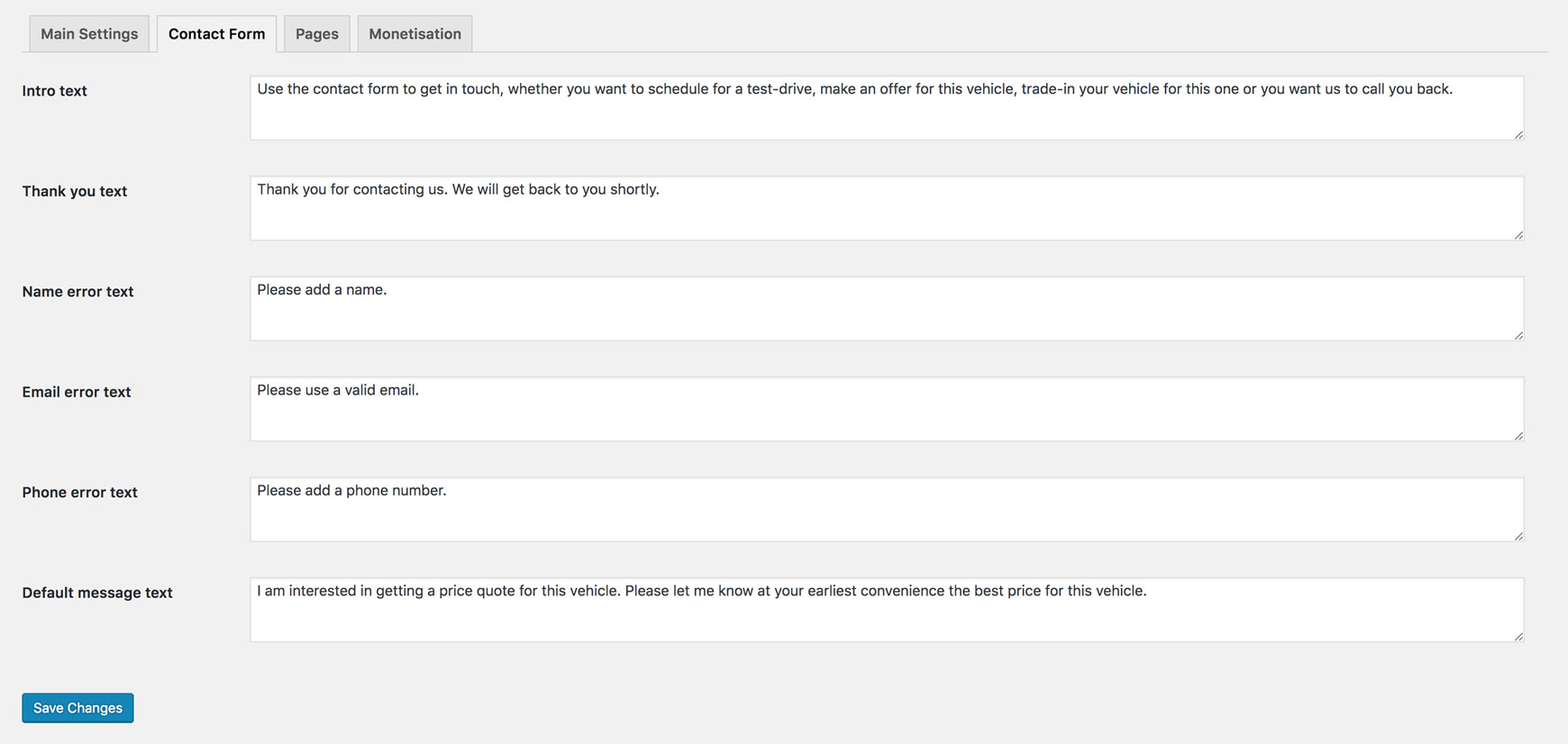
Here you have the placeholder text for the contact form:
- Intro text
- Thank you text
- Name error text
- Email error text
- Phone error text
- Default message text
Pages
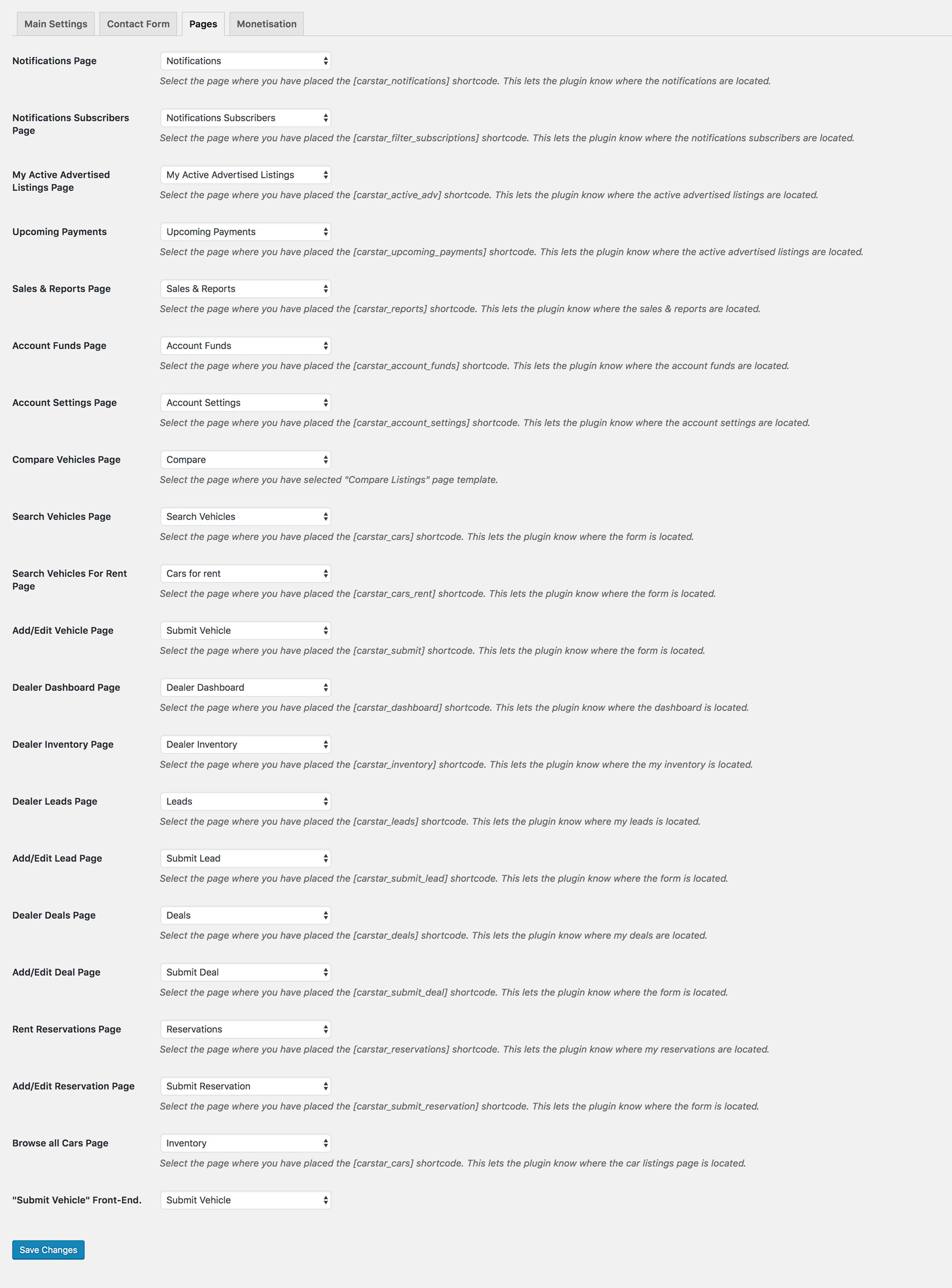
Here you have to select the pages used in a number of places. This lets autoRoyal connect the pages correctly.
The user profile page is for marketplaces only.
Monetisation
For marketplaces only.
For this feature to work, you need to install WooCommerce.
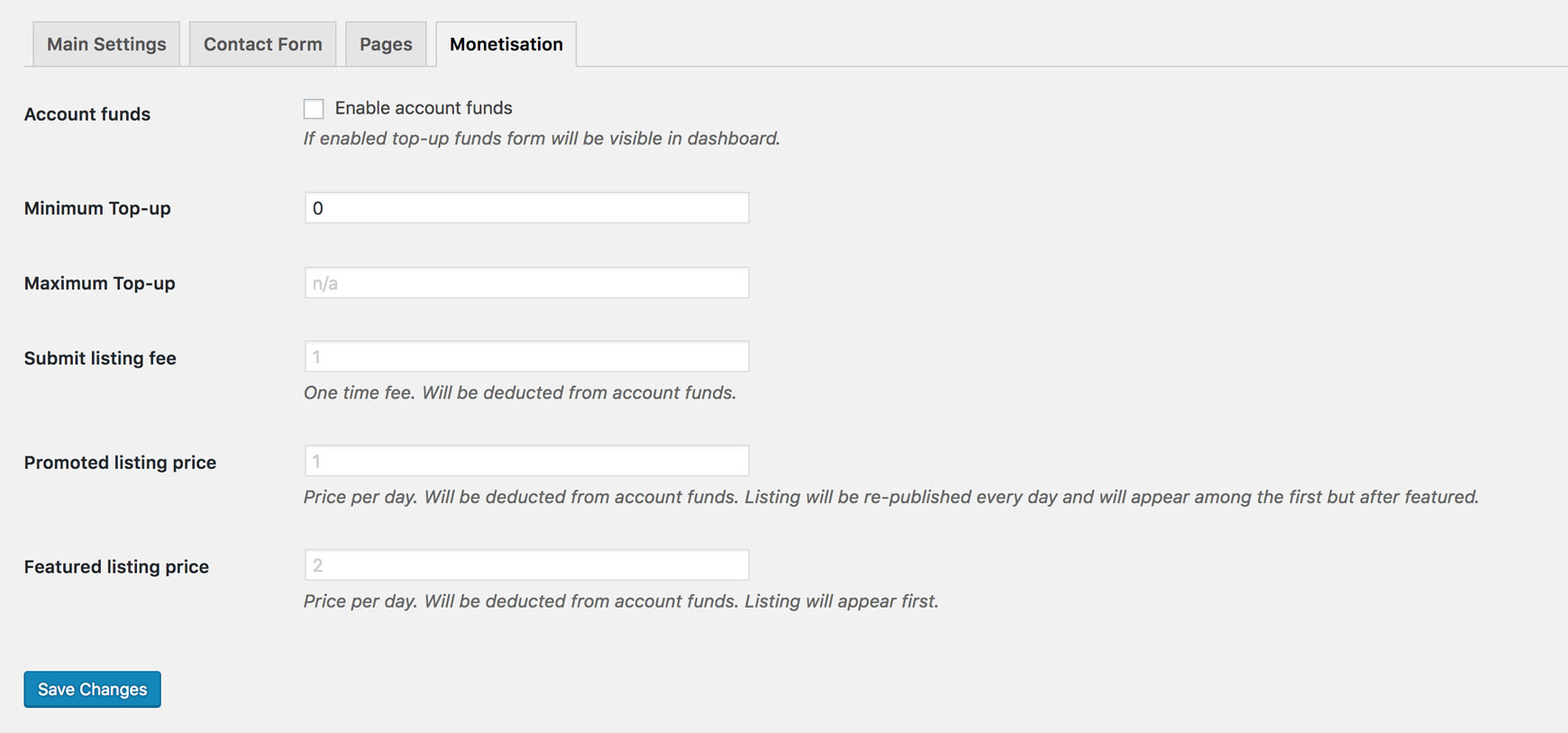
Here you can set the price for submitting a vehicle (marketplaces only). It is a one-time fee.
- Promoted listing price: the price per day. It is deducted from account funds. The listing is re-published every day and appears among the first, but after featured listings.
- Featured listing price: the price per day. It is deducted from account funds. The listing appears first.
Add only numbers, without a currency code or anything else. The price is in the currency you selected in WooCommerce.
For how these features work, see Monetisation.